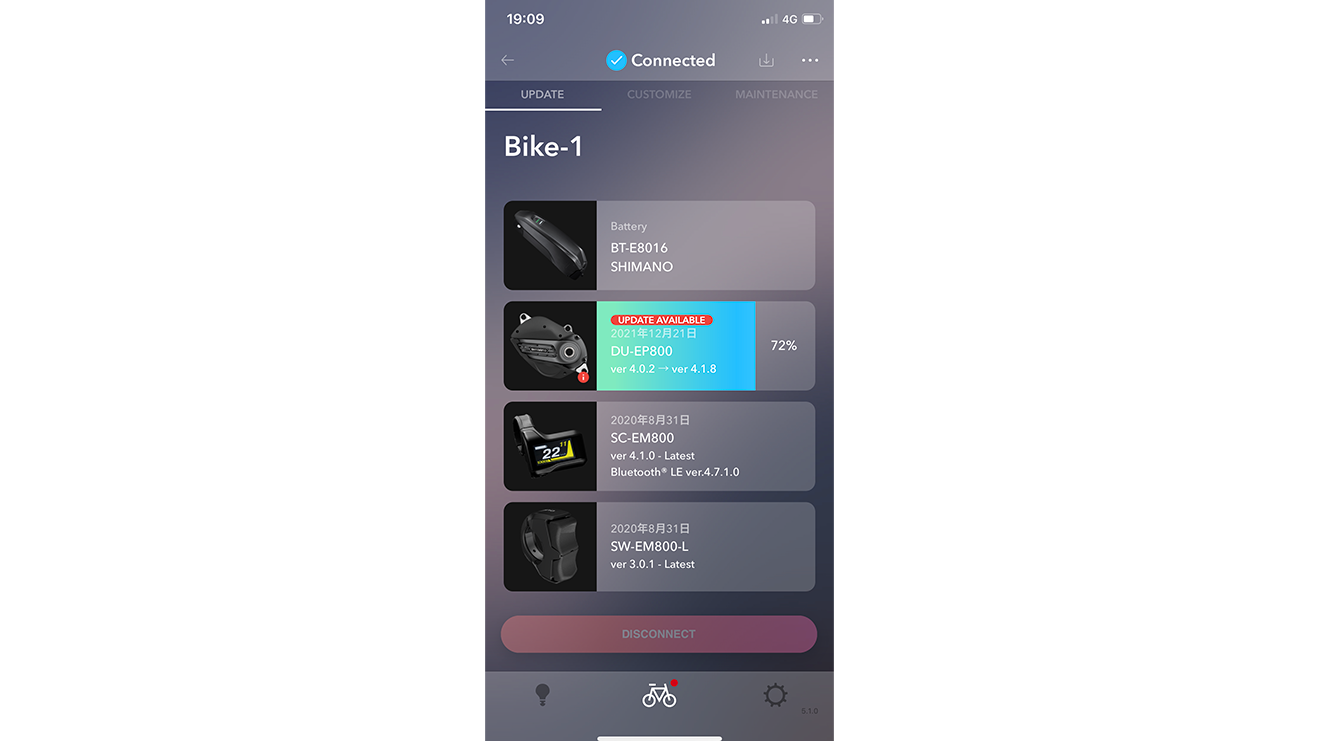
| Aug 19, 2026 |
RD-U8050 |
4.5.2 |
The firmware will be updated but it does not affect the use of RD-U8050. |
| Aug 19, 2026 |
MU-UR520 |
4.5.2 |
The firmware will be updated but it does not affect the use of MU-UR520. |
| Aug 19, 2026 |
RD-M9250 |
4.5.2 |
The firmware will be updated but it does not affect the use of RD-M9250. |
| Aug 19, 2026 |
RD-M9260 |
4.5.2 |
The firmware will be updated but it does not affect the use of RD-M9260. |
| Aug 19, 2026 |
RD-M8250 |
4.5.2 |
The firmware will be updated but it does not affect the use of RD-M8250. |
| Aug 19, 2026 |
RD-M8260 |
4.5.2 |
The firmware will be updated but it does not affect the use of RD-M8260. |
| Aug 19, 2026 |
RD-M6250 |
4.5.2 |
The firmware will be updated but it does not affect the use of RD-M6250. |
| Aug 19, 2026 |
RD-M6260 |
4.5.2 |
The firmware will be updated but it does not affect the use of RD-M6260. |
| Aug 19, 2026 |
RD-RX827-SGS |
4.5.2 |
The firmware will be updated but it does not affect the use of RD-RX827-SGS. |
| Aug 19, 2026 |
RD-RX717-SGS |
4.5.2 |
The firmware will be updated but it does not affect the use of RD-RX717-SGS. |
| Aug 19, 2026 |
RD-R9250 |
4.4.0 |
Pairing can only be performed with compatible dual control levers and rear derailleur.
For details, please refer to the dealer's manual of rear derailleur. |
| Aug 19, 2026 |
RD-R9250 |
4.4.0 |
|
| Aug 19, 2026 |
RD-R9250 |
4.4.0 |
|
| Aug 19, 2026 |
RD-R8150 |
4.4.0 |
Pairing can only be performed with compatible dual control levers and rear derailleur.
For details, please refer to the dealer's manual of rear derailleur. |
| Aug 19, 2026 |
RD-R7150 |
4.4.0 |
Pairing can only be performed with compatible dual control levers and rear derailleur.
For details, please refer to the dealer's manual of rear derailleur. |
| Aug 19, 2026 |
RD-R7150 |
4.4.0 |
|
| Aug 19, 2026 |
RD-RX825 |
4.4.0 |
Pairing can only be performed with compatible dual control levers and rear derailleur.
For details, please refer to the dealer's manual of rear derailleur. |
| Aug 19, 2026 |
ST-R7170 |
4.4.0 |
Pairing can only be performed with compatible dual control levers and rear derailleur.
For details, please refer to the dealer's manual of rear derailleur. |
| Aug 19, 2026 |
ST-RX715 |
4.4.0 |
The firmware will be updated but it does not affect the use of ST-RX715. |
| Feb 18, 2026 |
RD-U8050 |
4.5.1 |
The firmware will be updated but it does not affect the use of RD-U8050. |
| Feb 18, 2026 |
MU-UR520 |
4.5.1 |
The firmware will be updated but it does not affect the use of MU-UR520. |
| Feb 18, 2026 |
RD-M9250 |
4.5.1 |
The firmware will be updated but it does not affect the use of RD-M9250. |
| Feb 18, 2026 |
RD-M9260 |
4.5.1 |
The firmware will be updated but it does not affect the use of RD-M9260. |
| Feb 18, 2026 |
RD-M8250 |
4.5.1 |
The firmware will be updated but it does not affect the use of RD-M8250. |
| Feb 18, 2026 |
RD-M8260 |
4.5.1 |
The firmware will be updated but it does not affect the use of RD-M8260. |
| Feb 18, 2026 |
RD-M6250 |
4.5.1 |
The firmware will be updated but it does not affect the use of RD-M6250. |
| Feb 18, 2026 |
RD-M6260 |
4.5.1 |
The firmware will be updated but it does not affect the use of RD-M6260. |
| Feb 18, 2026 |
RD-RX827-SGS |
4.5.1 |
The firmware will be updated but it does not affect the use of RD-RX827-SGS. |
| Feb 18, 2026 |
RD-RX717-SGS |
4.5.1 |
The firmware will be updated but it does not affect the use of RD-RX717-SGS. |
| Dec 01, 2025 |
RD-R9250 |
4.3.1 |
The firmware will be updated but it does not affect the use of RD-R9250.
To connect to E-TUBE PROJECT, you must update to E-TUBE PROJECT v5.4.4. |
| Dec 01, 2025 |
RD-R8150 |
4.3.1 |
The firmware will be updated but it does not affect the use of RD-R8150.
To connect to E-TUBE PROJECT, you must update to E-TUBE PROJECT v5.4.4. |
| Dec 01, 2025 |
RD-R7150 |
4.3.1 |
The firmware will be updated but it does not affect the use of RD-R7150.
To connect to E-TUBE PROJECT, you must update to E-TUBE PROJECT v5.4.4. |
| Dec 01, 2025 |
RD-RX825 |
4.3.1 |
The firmware will be updated but it does not affect the use of RD-RX825.
To connect to E-TUBE PROJECT, you must update to E-TUBE PROJECT v5.4.4. |
| Nov 10, 2025 |
SC-E6100 |
4.2.0 |
Products compatible with DU-E6000/DU-E6001/DU-E6010/DU-E6050/DU-E6002/DU-E6012 have been added. |
| Nov 10, 2025 |
RD-U8050 |
4.5.0 |
The firmware will be updated but it does not affect the use of RD-U8050. |
| Nov 10, 2025 |
MU-UR520 |
4.5.0 |
The firmware will be updated but it does not affect the use of MU-UR520. |
| Nov 10, 2025 |
RD-M9250 |
4.5.0 |
The firmware will be updated but it does not affect the use of RD-M9250. |
| Nov 10, 2025 |
RD-M9260 |
4.5.0 |
The firmware will be updated but it does not affect the use of RD-M9260. |
| Nov 10, 2025 |
RD-M8250 |
4.5.0 |
The firmware will be updated but it does not affect the use of RD-M8250. |
| Nov 10, 2025 |
RD-M8260 |
4.5.0 |
The firmware will be updated but it does not affect the use of RD-M8260. |
| Nov 10, 2025 |
RD-M6250 |
4.5.0 |
The firmware will be updated but it does not affect the use of RD-M6250. |
| Nov 10, 2025 |
RD-M6260 |
4.5.0 |
The firmware will be updated but it does not affect the use of RD-M6260. |
| Nov 10, 2025 |
RD-RX827-SGS |
4.5.0 |
The firmware will be updated but it does not affect the use of RD-RX827. |
| Oct 06, 2025 |
EW-EX310 |
4.3.0 |
■ New features
- Third-party systems shift mode (From manual to synchronized shift/semi-synchronized shift) is now possible to transition.
* The third-party system must have the capability to support this function.
-Shifting/Adj.mode is now supported. Assigning Shifting/Adj. mode to the applicable switch allows you to transition to the adjust mode.
■ Others
General bug fixes. |
| Sep 30, 2025 |
RD-U8050 |
4.4.1 |
■ New features
Adapted for below BOSCH system functions.
-Automatic gear shifting/AutoDownShift/RollShift. |
| Sep 30, 2025 |
MU-UR520 |
4.4.1 |
■ New features
Adapted for below BOSCH system functions.
-Automatic gear shifting/AutoDownShift/RollShift. |
| Sep 30, 2025 |
RD-M9260 |
4.4.1 |
■ New features
Adapted for below BOSCH system functions.
-Automatic gear shifting/AutoDownShift/RollShift. |
| Sep 30, 2025 |
RD-M8260 |
4.4.1 |
■ New features
Adapted for below BOSCH system functions.
-Automatic gear shifting/AutoDownShift/RollShift. |
| Sep 30, 2025 |
RD-M6260 |
4.4.1 |
■ New features
Adapted for below BOSCH system functions.
-Automatic gear shifting/AutoDownShift/RollShift. |
| Sep 30, 2025 |
RD-M9250 |
4.4.1 |
The firmware will be updated but it does not affect the use of RD-M9250. |
| Sep 30, 2025 |
RD-M8250 |
4.4.1 |
The firmware will be updated but it does not affect the use of RD-M8250. |
| Sep 30, 2025 |
RD-M6250 |
4.4.1 |
The firmware will be updated but it does not affect the use of RD-M6250. |
| Sep 30, 2025 |
RD-RX827-SGS |
4.4.1 |
The firmware will be updated but it does not affect the use of RD-RX827. |
| Aug 25, 2025 |
DU-EP600 |
4.4.2 |
General bug fixes. |
| Aug 25, 2025 |
DU-EP600-CRG |
4.4.2 |
General bug fixes. |
| Aug 25, 2025 |
DU-EP801 |
4.4.2 |
General bug fixes. |
| Aug 25, 2025 |
DU-EP801-CRG |
4.4.2 |
General bug fixes. |
| Aug 19, 2025 |
DU-EP500 |
4.1.1 |
General bug fixes. |
| Jul 31, 2025 |
RD-U8050 |
4.3.3 |
- bug fixes the issue where the BOSCH system could sometimes fail to connect.
- General bug fixes.
*Wireless firmware update is not available for any units connected to bikes with EW-EX310, wireless shifter, or switch due to its product specifications. E-TUBE PROJECT Professional and SM-PCE02 must be used to update the firmware. Contact your place of purchase or a distributor. |
| Jul 31, 2025 |
MU-UR520 |
4.3.3 |
- bug fixes the issue where the BOSCH system could sometimes fail to connect.
- General bug fixes.
*Wireless firmware update is not available for any units connected to bikes with EW-EX310, wireless shifter, or switch due to its product specifications. E-TUBE PROJECT Professional and SM-PCE02 must be used to update the firmware. Contact your place of purchase or a distributor. |
| Jul 31, 2025 |
RD-M9260 |
4.3.3 |
- bug fixes the issue where the BOSCH system could sometimes fail to connect.
- General bug fixes.
*Wireless firmware update is not available for any units connected to bikes with EW-EX310, wireless shifter, or switch due to its product specifications. E-TUBE PROJECT Professional and SM-PCE02 must be used to update the firmware. Contact your place of purchase or a distributor. |
| Jul 31, 2025 |
RD-M8260 |
4.3.3 |
- bug fixes the issue where the BOSCH system could sometimes fail to connect.
- General bug fixes.
*Wireless firmware update is not available for any units connected to bikes with EW-EX310, wireless shifter, or switch due to its product specifications. E-TUBE PROJECT Professional and SM-PCE02 must be used to update the firmware. Contact your place of purchase or a distributor. |
| Jul 31, 2025 |
RD-M6260 |
4.3.3 |
- bug fixes the issue where the BOSCH system could sometimes fail to connect.
- General bug fixes.
*Wireless firmware update is not available for any units connected to bikes with EW-EX310, wireless shifter, or switch due to its product specifications. E-TUBE PROJECT Professional and SM-PCE02 must be used to update the firmware. Contact your place of purchase or a distributor. |
| Jul 31, 2025 |
RD-M9250 |
4.3.3 |
The firmware will be updated but it does not affect the use of RD-M9250. |
| Jul 31, 2025 |
RD-M8250 |
4.3.3 |
The firmware will be updated but it does not affect the use of RD-M8250. |
| Jul 31, 2025 |
RD-M6250 |
4.3.3 |
The firmware will be updated but it does not affect the use of RD-M6250. |
| Jul 31, 2025 |
RD-RX827-SGS |
4.3.3 |
The firmware will be updated but it does not affect the use of RD-RX827-SGS. |
| Jun 25, 2025 |
RD-RX827-SGS |
4.3.2 |
Firmware uploaded |
| Jun 19, 2025 |
RD-M8250 |
4.3.2 |
Firmware uploaded |
| Jun 19, 2025 |
RD-M8260 |
4.3.2 |
Firmware uploaded |
| Jun 19, 2025 |
SW-M8250 |
4.1.1 |
Firmware uploaded |
| Jun 19, 2025 |
RD-M6250 |
4.3.2 |
Firmware uploaded |
| Jun 19, 2025 |
RD-M6260 |
4.3.2 |
Firmware uploaded |
| Jun 19, 2025 |
SW-M6250 |
4.1.1 |
Firmware uploaded |
| Jun 05, 2025 |
FH-U6060 |
4.1.0 |
Firmware uploaded |
| Jun 05, 2025 |
SW-M9250 |
4.1.1 |
Firmware uploaded |
| Jun 05, 2025 |
RD-M9250 |
4.3.2 |
Firmware uploaded |
| Jun 05, 2025 |
RD-M9260 |
4.3.2 |
Firmware uploaded |
| May 28, 2025 |
RD-U8050 |
4.3.2 |
The firmware will be updated but it does not affect the use of RD-U8050. |
| May 28, 2025 |
MU-UR520 |
4.3.2 |
The firmware will be updated but it does not affect the use of MU-UR520. |
| May 01, 2025 |
EW-EX310 |
4.2.0 |
Adapted for new RD-U8050/RD-R9250/RD-R7150.
■ New features
- A MULTI PURPOSE feature has been added. Assigning MULTI PURPOSE CH.x to the applicable switch/shifter allows you to operate wired third-party products.
* Updating the firmware on the applicable models is required to use this function.
- Walk assist can now be operated for the drive unit that is wired on a third-party system.
* The third-party system must have the capability to support this function.
■ Others
General bug fixes. |
| May 01, 2025 |
RD-R7150 |
4.3.0 |
Adapted for new EW-EX310.
■ New features
- A MULTI PURPOSE function is now supported. Assigning MULTI PURPOSE CH.x to the applicable switch/shifter allows you to operate wired third-party products.
* Updating the firmware on the applicable models is required to use this function. |
| May 01, 2025 |
RD-RX825 |
4.3.0 |
Adapted for new EW-EX310.
■ New features
- A MULTI PURPOSE function is now supported. Assigning MULTI PURPOSE CH.x to the applicable switch/shifter allows you to operate wired third-party products.
* Updating the firmware on the applicable models is required to use this function. |
| May 01, 2025 |
RD-U8050 |
4.3.1 |
Adapted for new EW-EX310.
■ New features
- A MULTI PURPOSE function is now supported. Assigning MULTI PURPOSE CH.x to the applicable switch/shifter allows you to operate wired third-party products.
* Updating the firmware on the applicable models is required to use this function. |
| May 01, 2025 |
MU-UR520 |
4.3.1 |
The firmware will be updated but it does not affect the use of MU-UR520. |
| May 01, 2025 |
RD-R9250 |
4.3.0 |
Adapted for new EW-EX310.
■ New features
- A MULTI PURPOSE function is now supported. Assigning MULTI PURPOSE CH.x to the applicable switch/shifter allows you to operate wired third-party products.
* Updating the firmware on the applicable models is required to use this function. |
| May 01, 2025 |
RD-R8150 |
4.3.0 |
Adapted for new EW-EX310.
■ New features
- A MULTI PURPOSE function is now supported. Assigning MULTI PURPOSE CH.x to the applicable switch/shifter allows you to operate wired third-party products.
* Updating the firmware on the applicable models is required to use this function. |
| Feb 17, 2025 |
DU-EP500 |
4.1.0 |
Products compatible with RD-U8050/MU-UR520/SW-EN605-R have been added
■ Changes
The LED display for function switch operations has been improved.
Assist characters have been adjusted.
■ Others
General bug fixes. |
| Feb 17, 2025 |
RD-U6050 |
4.1.1 |
The timing of the LED display when switching to adjustment mode has been improved, making it possible for more intuitive operation. |
| Feb 17, 2025 |
RD-U6070 |
4.1.1 |
The timing of the LED display when switching to adjustment mode has been improved, making it possible for more intuitive operation. |
| Feb 17, 2025 |
RD-U8050 |
4.2.2 |
Products compatible with DU-EP801/DU-EP600/DU-EP500/DU-EP801-CRG/DU-EP600-CRG have been added. |
| Feb 17, 2025 |
MU-UR520 |
4.2.2 |
Products compatible with DU-EP801/DU-EP600/DU-EP500/DU-EP801-CRG/DU-EP600-CRG have been added. |
| Feb 17, 2025 |
ST-R9270 |
4.3.0 |
General bug fixes. |
| Feb 17, 2025 |
ST-R8170 |
4.3.0 |
General bug fixes. |
| Feb 17, 2025 |
ST-R7170 |
4.3.0 |
General bug fixes. |
| Feb 17, 2025 |
ST-R9250 |
4.3.0 |
The firmware will be updated but it does not affect the use of ST-R9250. |
| Feb 17, 2025 |
ST-R8150 |
4.3.0 |
The firmware will be updated but it does not affect the use of ST-R8150. |
| Feb 17, 2025 |
SW-M8150 |
4.3.0 |
The firmware will be updated but it does not affect the use of SW-M8150. |
| Jan 22, 2025 |
DU-EP600 |
4.4.1 |
■ Changes
The LED display for function switch operations has been improved.
■ Others
General bug fixes. |
| Jan 22, 2025 |
DU-EP600-CRG |
4.4.1 |
■ Changes
The LED display for function switch operations has been improved.
■ Others
General bug fixes. |
| Jan 22, 2025 |
DU-EP801 |
4.4.1 |
■ Changes
The LED display for function switch operations has been improved.
■ Others
General bug fixes. |
| Jan 22, 2025 |
DU-EP801-CRG |
4.4.1 |
■ Changes
The LED display for function switch operations has been improved.
■ Others
General bug fixes. |
| Jan 16, 2025 |
SW-EN600-L |
4.1.0 |
General bug fixes. |
| Jan 16, 2025 |
SC-EN500 |
3.1.0 |
The firmware will be updated but it does not affect the use of SC-EN500. |
| Jan 16, 2025 |
SC-EN600 |
3.2.0 |
The firmware will be updated but it does not affect the use of SC-EN600. |
| Jan 16, 2025 |
SC-EN610 |
3.2.0 |
The firmware will be updated but it does not affect the use of SC-EN610. |
| Jan 16, 2025 |
SC-EM800 |
4.6.0 |
The firmware will be updated but it does not affect the use of SC-EM800. |
| Jan 16, 2025 |
EW-SW310 |
3.1.0 |
The firmware will be updated but it does not affect the use of EW-SW310. |
| Jan 16, 2025 |
SW-EN600-R |
3.2.0 |
The firmware will be updated but it does not affect the use of SW-EN600-R. |
| Jan 16, 2025 |
SW-E7000 |
3.2.0 |
The firmware will be updated but it does not affect the use of SW-E7000. |
| Jan 16, 2025 |
SW-EM800-L |
3.2.0 |
The firmware will be updated but it does not affect the use of SW-EM800-L. |
| Dec 23, 2024 |
ST-RX825 |
4.1.0 |
General bug fixes. |
| Sep 05, 2024 |
RD-U8050 |
4.0.3 |
General bug fixes. |
| Sep 05, 2024 |
MU-UR520 |
4.0.3 |
General bug fixes. |
| Aug 30, 2024 |
RD-R9250 |
4.2.3 |
■ Changes
Security performance for wireless communications between the shifter and rear derailleur has been improved.
Click here to view FAQs for more information. https://bike.shimano.com/faq/DI20A#D-7030
*The firmware for both the shifter and rear derailleur must be updated for proper operation of the Di2 system.
■ Others
General bug fixes. |
| Aug 30, 2024 |
RD-R8150 |
4.2.3 |
■ Changes
Security performance for wireless communications between the shifter and rear derailleur has been improved.
Click here to view FAQs for more information. https://bike.shimano.com/faq/DI20A#D-7030
*The firmware for both the shifter and rear derailleur must be updated for proper operation of the Di2 system.
■ Others
General bug fixes. |
| Aug 30, 2024 |
RD-R7150 |
4.2.3 |
■ Changes
Security performance for wireless communications between the shifter and rear derailleur has been improved.
Click here to view FAQs for more information. https://bike.shimano.com/faq/DI20A#D-7030
*The firmware for both the shifter and rear derailleur must be updated for proper operation of the Di2 system.
■ Others
General bug fixes. |
| Aug 30, 2024 |
RD-RX825 |
4.2.3 |
■ Changes
Security performance for wireless communications between the shifter and rear derailleur has been improved.
Click here to view FAQs for more information. https://bike.shimano.com/faq/DI20A#D-7030
*The firmware for both the shifter and rear derailleur must be updated for proper operation of the Di2 system.
■ Others
General bug fixes. |
| Aug 30, 2024 |
ST-R9270 |
4.2.2 |
■ Changes
Security performance for wireless communications between the shifter and rear derailleur has been improved.
Click here to view FAQs for more information. https://bike.shimano.com/faq/DI20A#D-7030
*The firmware for both the shifter and rear derailleur must be updated for proper operation of the Di2 system.
* Wireless firmware update is not available for this product.
Update the firmware over a wired connection or contact your place of purchase or a distributor.
■ Others
General bug fixes. |
| Aug 30, 2024 |
ST-R8170 |
4.2.2 |
■ Changes
Security performance for wireless communications between the shifter and rear derailleur has been improved.
Click here to view FAQs for more information. https://bike.shimano.com/faq/DI20A#D-7030
*The firmware for both the shifter and rear derailleur must be updated for proper operation of the Di2 system.
* Wireless firmware update is not available for this product.
Update the firmware over a wired connection or contact your place of purchase or a distributor.
■ Others
General bug fixes. |
| Aug 30, 2024 |
ST-R7170 |
4.2.1 |
■ Changes
Security performance for wireless communications between the shifter and rear derailleur has been improved.
Click here to view FAQs for more information. https://bike.shimano.com/faq/DI20A#D-7030
*The firmware for both the shifter and rear derailleur must be updated for proper operation of the Di2 system.
* Wireless firmware update is not available for this product.
Update the firmware over a wired connection or contact your place of purchase or a distributor.
■ Others
General bug fixes. |
| Aug 30, 2024 |
ST-RX825 |
4.0.1 |
■ Changes
Security performance for wireless communications between the shifter and rear derailleur has been improved.
Click here to view FAQs for more information. https://bike.shimano.com/faq/DI20A#D-7030
*The firmware for both the shifter and rear derailleur must be updated for proper operation of the Di2 system.
* Wireless firmware update is not available for this product.
Update the firmware over a wired connection or contact your place of purchase or a distributor.
■ Others
General bug fixes. |
| Aug 05, 2024 |
RD-U8050 |
4.0.2 |
Firmware released. |
| Aug 05, 2024 |
MU-UR520 |
4.0.2 |
Firmware released. |
| Aug 05, 2024 |
SW-EN605-R |
4.0.1 |
Firmware released. |
| Jun 25, 2024 |
DU-EP500 |
4.0.0 |
Firmware released. |
| Jun 25, 2024 |
DU-E5100 |
4.1.0 |
Firmware released. |
| Jun 25, 2024 |
DU-EP600 |
4.3.0 |
■AUTO SHIFT has been updated.
・ More precise gearshift control for AUTO SHIFT while pedaling that responds to changes in terrain and speed+G16
- Better gear shifting timing during acceleration.
- Optimal gear shifting timing for each assist setting.
- Holds manually shifted gear position in AUTO SHIFT mode, allowing you to continue pedaling in the appropriate gear
- Self-learning has been added to the AUTO SHIFT function of internal shifting units
・ Improved shifting response for Automatic FREE SHIFT in aggressive riding
- Improved response to rapid deceleration, achieving faster shifting to a lower gear
■ New functions have been added to the assist settings.
・ The "assist cutoff function" has been added to the assist settings. This 3-level selectable function allows you to select when the assist cutoff starts near the maximum speed limit.*
*These settings can be changed on E-TUBE PROJECT Professional ver. 5.3.2. If you wish to make changes, please consult your place of purchase or a distributor. For E-TUBE PROJECT Cyclist, these settings will be available in the version after ver. 5.3.2.
■ Others
General bug fixes. |
| Jun 25, 2024 |
DU-EP600-CRG |
4.3.0 |
■AUTO SHIFT has been updated.
・ More precise gearshift control for AUTO SHIFT while pedaling that responds to changes in terrain and speed
- Better gear shifting timing during acceleration.
- Optimal gear shifting timing for each assist setting.
- Holds manually shifted gear position in AUTO SHIFT mode, allowing you to continue pedaling in the appropriate gear
- Self-learning has been added to the AUTO SHIFT function of internal shifting units
・ Improved shifting response for Automatic FREE SHIFT in aggressive riding
- Improved response to rapid deceleration, achieving faster shifting to a lower gear
■ Others
General bug fixes. |
| Jun 25, 2024 |
DU-EP801 |
4.3.0 |
■AUTO SHIFT has been updated.
・ More precise gearshift control for AUTO SHIFT while pedaling that responds to changes in terrain and speed
- Better gear shifting timing during acceleration.
- Optimal gear shifting timing for each assist setting.
- Holds manually shifted gear position in AUTO SHIFT mode, allowing you to continue pedaling in the appropriate gear
- Self-learning has been added to the AUTO SHIFT function of internal shifting units
・ Improved shifting response for Automatic FREE SHIFT in aggressive riding
- Improved response to rapid deceleration, achieving faster shifting to a lower gear
■ New functions have been added to the assist settings.
・ The "assist carry over function" has been added to the assist settings. This 3-level selectable function allows you to select the duration that assist continues after pedaling stops.*
・ The "assist cutoff function" has been added to the assist settings. This 3-level selectable function allows you to select when the assist cutoff starts near the maximum speed limit.*
・ An aggressive assist character has been added to the assist settings. The characteristics of the existing assist character Lv15 have been changed to be more aggressive.*
*These settings can be changed on E-TUBE PROJECT Professional ver. 5.3.2. If you wish to make changes, please consult your place of purchase or a distributor. For E-TUBE PROJECT Cyclist, these settings will be available in the version after ver. 5.3.2.
■ Others
General bug fixes. |
| Jun 25, 2024 |
DU-EP801-CRG |
4.3.0 |
■AUTO SHIFT has been updated.
・ More precise gearshift control for AUTO SHIFT while pedaling that responds to changes in terrain and speed
- Better gear shifting timing during acceleration.
- Optimal gear shifting timing for each assist setting.
- Holds manually shifted gear position in AUTO SHIFT mode, allowing you to continue pedaling in the appropriate gear
- Self-learning has been added to the AUTO SHIFT function of internal shifting units
・ Improved shifting response for Automatic FREE SHIFT in aggressive riding
- Improved response to rapid deceleration, achieving faster shifting to a lower gear
■ Others
General bug fixes. |
| May 28, 2024 |
DU-EP600 |
4.2.3 |
The firmware will be updated but it does not affect the use of DU-EP600. |
| May 28, 2024 |
DU-EP600-CRG |
4.2.3 |
The firmware will be updated but it does not affect the use of DU-EP600-CRG. |
| May 28, 2024 |
DU-EP801 |
4.2.3 |
The firmware will be updated but it does not affect the use of DU-EP801. |
| May 28, 2024 |
DU-EP801-CRG |
4.2.3 |
The firmware will be updated but it does not affect the use of DU-EP801-CRG. |
| May 24, 2024 |
ST-R9270 |
4.2.0 |
- The FRONT SHIFT NEXT function is now supported.
It is a function that allows you to shift up and down the front derailleur with a single button.
* To use this function, assign “FRONT SHIFT NEXT” to a button on the wireless shifter/switch.
* Wireless firmware update is not available for this product.
Update the firmware over a wired connection or contact your place of purchase or a distributor. Click here to view FAQs for more information.(https://bike.shimano.com/faq/DI20A#D-7020) |
| May 24, 2024 |
ST-R8170 |
4.2.0 |
- The FRONT SHIFT NEXT function is now supported.
It is a function that allows you to shift up and down the front derailleur with a single button.
* To use this function, assign “FRONT SHIFT NEXT” to a button on the wireless shifter/switch.
* Wireless firmware update is not available for this product.
Update the firmware over a wired connection or contact your place of purchase or a distributor. Click here to view FAQs for more information.(https://bike.shimano.com/faq/DI20A#D-7020) |
| May 24, 2024 |
ST-R9250 |
4.2.0 |
- The FRONT SHIFT NEXT function is now supported.
It is a function that allows you to shift up and down the front derailleur with a single button.
* To use this function, assign “FRONT SHIFT NEXT” to a button on the wireless shifter/switch. |
| May 24, 2024 |
ST-R8150 |
4.2.0 |
- The FRONT SHIFT NEXT function is now supported.
It is a function that allows you to shift up and down the front derailleur with a single button.
* To use this function, assign “FRONT SHIFT NEXT” to a button on the wireless shifter/switch. |
| May 24, 2024 |
SW-M8150 |
4.2.0 |
- The FRONT SHIFT NEXT function is now supported.
It is a function that allows you to shift up and down the front derailleur with a single button.
* To use this function, assign “FRONT SHIFT NEXT” to a button on the wireless shifter/switch. |
| May 24, 2024 |
ST-R7170 |
4.2.0 |
- The FRONT SHIFT NEXT function is now supported.
It is a function that allows you to shift up and down the front derailleur with a single button.
* To use this function, assign “FRONT SHIFT NEXT” to a button on the wireless shifter/switch.
* Wireless firmware update is not available for this product.
Update the firmware over a wired connection or contact your place of purchase or a distributor. Click here to view FAQs for more information.(https://bike.shimano.com/faq/DI20A#D-7020) |
| May 24, 2024 |
BT-DN300 |
4.2.0 |
- The FRONT SHIFT NEXT function is now supported.
- General bug fixes. |
| May 24, 2024 |
RD-R7150 |
4.2.1 |
- The FRONT SHIFT NEXT function is now supported.
-The issue where the rear derailleur cannot be adjusted on E-bikes with a third-party drive unit has been fixed.
- The issue where the rear derailleur cannot be adjusted using E-TUBE PROJECT Cyclist has been fixed.
*If you are experiencing this issue, SM-PCE02 and E-TUBE PROJECT Professional are required to perform an update. Please contact your place of purchase. |
| May 24, 2024 |
RD-RX825 |
4.2.1 |
Firmware released. |
| May 24, 2024 |
RD-R9250 |
4.2.0 |
- The FRONT SHIFT NEXT function is now supported.
- General bug fixes. |
| May 24, 2024 |
RD-R8150 |
4.2.0 |
- The FRONT SHIFT NEXT function is now supported.
- General bug fixes. |
| May 24, 2024 |
FD-R7150 |
4.2.0 |
The firmware will be updated but it does not affect the use of FD-R7150. |
| May 24, 2024 |
FD-RX825 |
4.2.0 |
Firmware released. |
| May 24, 2024 |
ST-RX825 |
4.0.0 |
Firmware released. |
| May 20, 2024 |
DU-E5000 |
4.5.0 |
The firmware will be updated but it does not affect the use of DU-E5000. |
| May 20, 2024 |
DU-E5080-H |
4.5.0 |
The firmware will be updated but it does not affect the use of DU-E5080-H.
|
| May 20, 2024 |
DU-E5080 |
4.5.0 |
The firmware will be updated but it does not affect the use of DU-E5080. |
| May 20, 2024 |
DU-E6100 |
4.8.0 |
The firmware will be updated but it does not affect the use of DU-E6100. |
| May 20, 2024 |
DU-E6110 |
4.8.0 |
The firmware will be updated but it does not affect the use of DU-E6110. |
| May 20, 2024 |
DU-E6180 |
4.8.0 |
The firmware will be updated but it does not affect the use of DU-E6180. |
| May 20, 2024 |
DU-E6100-CRG |
4.8.0 |
The firmware will be updated but it does not affect the use of DU-E6100-CRG. |
| May 20, 2024 |
DU-E7000 |
4.8.0 |
The firmware will be updated but it does not affect the use of DU-E7000. |
| May 20, 2024 |
DU-EP800 |
4.2.0 |
The issue where the system does not start properly when the power is turned ON with the satellite system ON/OFF switch (EW-SW100/EW-SW300) in a low-temperature environment has been fixed. |
| May 20, 2024 |
DU-EP800-CRG |
4.2.0 |
The issue where the system does not start properly when the power is turned ON with the satellite system ON/OFF switch (EW-SW100/EW-SW300) in a low-temperature environment has been fixed. |
| May 20, 2024 |
DU-E8000 |
4.10.0 |
The firmware will be updated but it does not affect the use of DU-E8000. |
| May 20, 2024 |
DU-E8080 |
4.10.0 |
The firmware will be updated but it does not affect the use of DU-E8080. |
| Apr 15, 2024 |
DU-EP600 |
4.2.2 |
Bug fixes for the warning detection function. |
| Apr 15, 2024 |
DU-EP600-CRG |
4.2.2 |
Bug fixes for the warning detection function. |
| Apr 15, 2024 |
DU-EP801 |
4.2.2 |
Bug fixes for the warning detection function. |
| Apr 15, 2024 |
DU-EP801-CRG |
4.2.2 |
Bug fixes for the warning detection function. |
| Mar 27, 2024 |
EW-EX310 |
4.1.0 |
The display and light that are wired on a third-party system can now be operated.
- Display: Screen scrolling
- Light: Turning ON/OFF the Light
* The third-party system must have the capability to support this function. |
| Mar 25, 2024 |
DU-EP600 |
4.2.1 |
General bug fixes. |
| Mar 25, 2024 |
DU-EP600-CRG |
4.2.1 |
General bug fixes. |
| Mar 25, 2024 |
DU-EP801 |
4.2.1 |
General bug fixes. |
| Mar 25, 2024 |
DU-EP801-CRG |
4.2.1 |
General bug fixes. |
| Mar 11, 2024 |
FD-R9250 |
4.1.1 |
Bug fixes for an error that may occur in the adjustment operation. |
| Mar 11, 2024 |
FD-R8150 |
4.1.1 |
Bug fixes for an error that may occur in the adjustment operation. |
| Mar 05, 2024 |
FC-R9200-P |
4.2.1 |
The issue that a correct result is not displayed when zero offset calibration is performed with the connection methods below has been fixed.
- When connected to E-TUBE PROJECT Cyclist, an error code other than "5050" is displayed.
- When connected to a compatible cycle computer via Bluetooth®LE, "Calibration Failed" is displayed the second and subsequent times. |
| Mar 05, 2024 |
FC-R8100-P |
4.2.1 |
The issue that a correct result is not displayed when zero offset calibration is performed with the connection methods below has been fixed.
- When connected to E-TUBE PROJECT Cyclist, an error code other than "5050" is displayed.
- When connected to a compatible cycle computer via Bluetooth®LE, "Calibration Failed" is displayed the second and subsequent times. |
| Mar 05, 2024 |
FC-R9200-PX |
4.2.1 |
The issue that a correct result is not displayed when zero offset calibration is performed with the connection methods below has been fixed.
- When connected to E-TUBE PROJECT Cyclist, an error code other than "5050" is displayed.
- When connected to a compatible cycle computer via Bluetooth®LE, "Calibration Failed" is displayed the second and subsequent times. |
| Feb 13, 2024 |
SC-EM800 |
4.5.0 |
General bug fixes. |
| Feb 08, 2024 |
DU-EP600 |
4.2.0 |
-The issue where incorrect error codes are displayed has been fixed.
-General bug fixes. |
| Feb 08, 2024 |
DU-EP600-CRG |
4.2.0 |
-The issue where incorrect error codes are displayed has been fixed.
-General bug fixes. |
| Feb 08, 2024 |
DU-EP801 |
4.2.0 |
-The issue where incorrect error codes are displayed has been fixed.
-General bug fixes. |
| Feb 08, 2024 |
DU-EP801-CRG |
4.2.0 |
-The issue where incorrect error codes are displayed has been fixed.
-General bug fixes. |
| Feb 08, 2024 |
EW-SW310 |
3.0.3 |
General bug fixes. |
| Feb 08, 2024 |
SC-E5000 |
3.1.1 |
General bug fixes. |
| Feb 08, 2024 |
SC-E5003 |
3.1.1 |
General bug fixes. |
| Feb 08, 2024 |
SC-EN500 |
3.0.2 |
General bug fixes. |
| Feb 08, 2024 |
SC-EN600 |
3.1.1 |
General bug fixes. |
| Feb 08, 2024 |
SC-EN610 |
3.1.1 |
General bug fixes. |
| Feb 08, 2024 |
SW-E7000 |
3.1.2 |
General bug fixes. |
| Feb 08, 2024 |
SW-EM800 |
3.1.2 |
General bug fixes. |
| Feb 08, 2024 |
SW-EN600-R |
3.1.1 |
General bug fixes. |
| Feb 08, 2024 |
EW-SW100 |
3.1.1 |
General bug fixes. |
| Feb 08, 2024 |
EW-SW300 |
3.1.1 |
General bug fixes. |
| Dec 19, 2023 |
RD-R8150 |
4.1.1 |
The issue where the rear derailleur cannot be adjusted on E-bikes with a third-party drive unit has been fixed.
- The issue where the rear derailleur cannot be adjusted using E-TUBE PROJECT Cyclist has been fixed.
*If you are experiencing this issue, SM-PCE02 and E-TUBE PROJECT Professional are required to perform an update. Please contact your place of purchase. |
| Dec 19, 2023 |
RD-R9250 |
4.1.1 |
The issue where the rear derailleur cannot be adjusted on E-bikes with a third-party drive unit has been fixed.
- The issue where the rear derailleur cannot be adjusted using E-TUBE PROJECT Cyclist has been fixed.
*If you are experiencing this issue, SM-PCE02 and E-TUBE PROJECT Professional are required to perform an update. Please contact your place of purchase. |
| Nov 09, 2023 |
FC-R9200-PX |
4.2.0 |
Firmware has been released. |
| Oct 24, 2023 |
FC-R9200-P |
4.2.0 |
By pairing the power meter with compatible Di2 rear derailleurs* (by communicating the gear position information between the two components), the power value will be adjusted according to the inner and outer positions of the front gear, improving the measurement accuracy.
*RD-R9250/RD-R8150/RD-R7150 |
| Oct 24, 2023 |
FC-R8100-P |
4.2.0 |
By pairing the power meter with compatible Di2 rear derailleurs* (by communicating the gear position information between the two components), the power value will be adjusted according to the inner and outer positions of the front gear, improving the measurement accuracy.
*RD-R9250/RD-R8150/RD-R7150 |
| Sep 25, 2023 |
DU-E5000 |
4.4.10 |
General bug fixes. |
| Sep 25, 2023 |
DU-E5080 |
4.4.10 |
General bug fixes. |
| Sep 25, 2023 |
DU-E5080-H |
4.4.10 |
General bug fixes. |
| Sep 06, 2023 |
BT-DN300 |
4.1.0 |
- Ride time can now be reset from E-TUBE PROJECT.
- General bug fixes. |
| Sep 06, 2023 |
DU-EP800 |
4.1.11 |
General bug fixes. |
| Sep 06, 2023 |
DU-E6100 |
4.7.7 |
General bug fixes. |
| Sep 06, 2023 |
DU-E8000 |
4.9.5 |
General bug fixes. |
| Sep 06, 2023 |
DU-EP600 |
4.1.1 |
General bug fixes. |
| Sep 06, 2023 |
DU-EP600-CRG |
4.1.1 |
General bug fixes. |
| Sep 06, 2023 |
DU-EP801 |
4.1.1 |
General bug fixes. |
| Sep 06, 2023 |
DU-EP801-CRG |
4.1.1 |
General bug fixes. |
| Sep 06, 2023 |
DU-EP800-CRG |
4.1.11 |
General bug fixes. |
| Sep 06, 2023 |
DU-E6100-CRG |
4.7.7 |
General bug fixes. |
| Sep 06, 2023 |
DU-E6110 |
4.7.7 |
General bug fixes. |
| Sep 06, 2023 |
DU-E6180 |
4.7.7 |
General bug fixes. |
| Sep 06, 2023 |
DU-E7000 |
4.7.7 |
General bug fixes. |
| Sep 06, 2023 |
DU-E8080 |
4.9.5 |
General bug fixes. |
| Jun 01, 2023 |
SW-EN600-R |
3.1.0 |
Firmware released. No functional changes for SW-EN600-R. |
| Jun 01, 2023 |
RD-U6050 |
4.1.0 |
Firmware released. No functional changes for RD-U6050. |
| Jun 01, 2023 |
MU-UR500 |
3.3.1 |
Fixed issues related to adjustment settings for the motor unit. |
| Jun 01, 2023 |
RD-U6070 |
4.1.0 |
Firmware released. No functional changes for RD-U6070. |
| Jun 01, 2023 |
MU-UR510 |
3.3.1 |
Fixed issues related to adjustment settings for the motor unit. |
| Mar 30, 2023 |
DU-EP600 |
4.1.0 |
■ Changes
- Cadence range settings of climbing responsiveness for shift timing in AUTO shift mode has been expanded.
- System operations at low battery level have been improved.
- The CAN port function has been enabled. |
| Mar 30, 2023 |
DU-EP801 |
4.1.0 |
■ Changes
- Cadence range settings of climbing responsiveness for shift timing in AUTO SHIFT mode has been expanded.
- System operations at low battery level have been improved.
- The CAN port function has been enabled.
- The maximum output range of The drive unit has been extended.
*Depending on the bicycle settings or battery specifications, the output range may not change even after the update. |
| Mar 30, 2023 |
DU-EP600-CRG |
4.1.0 |
■ Changes
- Cadence range settings of climbing responsiveness for shift timing in AUTO SHIFT mode has been expanded.
- Initial assist mode for cargo series DU-EP600-CRG/DU-EP801-CRG has been improved.
- System operations at low battery level have been improved.
- The CAN port function has been enabled. |
| Mar 30, 2023 |
DU-EP801-CRG |
4.1.0 |
■ Changes
- Cadence range settings of climbing responsiveness for shift timing in AUTO SHIFT mode has been expanded.
- Initial assist mode for cargo series DU-EP600-CRG/DU-EP801-CRG has been improved.
- System operations at low battery level have been improved.
- The CAN port function has been enabled.
- The maximum output range of The drive unit has been extended.
*Depending on the bicycle settings or battery specifications, the output range may not change even after the update. |
| Mar 30, 2023 |
DU-EP800 |
4.1.10 |
■ Changes
- System operations at low battery level have been improved. |
| Mar 30, 2023 |
DU-EP800-CRG |
4.1.10 |
■ Changes
- Initial assist mode for DU-EP800-CRG has been improved.
- System operations at low battery level have been improved. |
| Mar 30, 2023 |
DU-E6100 |
4.7.6 |
■ Changes
- System operations at low battery level have been improved. |
| Mar 30, 2023 |
DU-E6110 |
4.7.6 |
■ Changes
- System operations at low battery level have been improved. |
| Mar 30, 2023 |
DU-E6180 |
4.7.6 |
■ Changes
- System operations at low battery level have been improved. |
| Mar 30, 2023 |
DU-E6100-CRG |
4.7.6 |
■ Changes
- Initial assist mode for cargo series DU-E6100-CRG has been improved.
- System operations at low battery level have been improved. |
| Mar 30, 2023 |
DU-E7000 |
4.7.6 |
■ Changes
- System operations at low battery level have been improved. |
| Mar 30, 2023 |
DU-E5000 |
4.4.9 |
■ Changes
- System operations at low battery level have been improved. |
| Mar 30, 2023 |
DU-E5080 |
4.4.9 |
■ Changes
- System operations at low battery level have been improved. |
| Mar 30, 2023 |
DU-E5080-H |
4.4.9 |
■ Changes
- System operations at low battery level have been improved. |
| Mar 30, 2023 |
SC-EM800 |
4.4.0 |
■ Changes
Cadence range settings for shift timing in AUTO SHIFT mode has been expanded.
* In order for the set ranges to be displayed correctly, both the drive unit and cycle computer must be updated. |
| Mar 30, 2023 |
SC-EN600 |
3.1.0 |
■ Changes
Cadence range settings for shift timing in AUTO SHIFT mode has been expanded.
* In order for the set ranges to be displayed correctly, both the drive unit and cycle computer must be updated. |
| Mar 30, 2023 |
SC-EN610 |
3.1.0 |
■ Changes
Cadence range settings for shift timing in AUTO SHIFT mode has been expanded.
* In order for the set ranges to be displayed correctly, both the drive unit and cycle computer must be updated. |
| Mar 30, 2023 |
SM-PCE02 |
3.1.1 |
■ Fixed issues
- Fixed identified issues. |
| Mar 30, 2023 |
EW-EX310 |
4.0.0 |
Firmware has been released. |
| Mar 30, 2023 |
RD-U6050 |
4.0.1 |
Firmware has been released. |
| Mar 30, 2023 |
ST-R7170 |
4.1.0 |
EW-EX310 is now supported. |
| Mar 30, 2023 |
ST-R9270 |
4.1.2 |
EW-EX310 is now supported. |
| Mar 30, 2023 |
ST-R8170 |
4.1.2 |
EW-EX310 is now supported. |
| Mar 30, 2023 |
RD-R7150 |
4.1.0 |
- EW-EX310 is now supported.
- Fixed identified issues. |
| Mar 30, 2023 |
RD-R9250 |
4.1.0 |
- EW-EX310 is now supported.
- Fixed identified issues. |
| Mar 30, 2023 |
RD-R8150 |
4.1.0 |
- EW-EX310 is now supported.
- Fixed identified issues. |
| Mar 30, 2023 |
FD-R7150 |
4.1.0 |
EW-EX310 is now supported. |
| Mar 30, 2023 |
FD-R9250 |
4.1.0 |
EW-EX310 is now supported. |
| Mar 30, 2023 |
FD-R8150 |
4.1.0 |
EW-EX310 is now supported. |
| Mar 30, 2023 |
RD-U6070 |
4.0.1 |
Firmware has been released. |
| Jan 11, 2023 |
DU-EP600 |
4.0.2 |
General bug fixes. |
| Jan 11, 2023 |
DU-EP801 |
4.0.2 |
General bug fixes. |
| Jan 11, 2023 |
DU-EP600-CRG |
4.0.2 |
General bug fixes. |
| Jan 11, 2023 |
DU-EP801-CRG |
4.0.2 |
General bug fixes. |
| Dec 14, 2022 |
RD-M8150-11 |
4.0.1 |
Firmware released. |
| Dec 14, 2022 |
RD-M8150-12 |
4.0.1 |
Firmware released. |
| Nov 09, 2022 |
DU-EP600-CRG |
4.0.1 |
Firmware released. |
| Nov 09, 2022 |
DU-EP801-CRG |
4.0.1 |
Firmware released. |
| Oct 31, 2022 |
ST-R9250 |
4.1.0 |
Adapted for new DU-EP801/DU-EP600. |
| Oct 31, 2022 |
ST-R8150 |
4.1.0 |
Adapted for new DU-EP801/DU-EP600. |
| Oct 31, 2022 |
ST-R9270 |
4.1.1 |
Adapted for new DU-EP801/DU-EP600. |
| Oct 31, 2022 |
ST-R8170 |
4.1.1 |
Adapted for new DU-EP801/DU-EP600. |
| Oct 31, 2022 |
MU-UR500 |
3.3.0 |
Firmware released. No functional changes for MU-UR500. |
| Oct 31, 2022 |
MU-UR510 |
3.3.0 |
Adapted for new DU-EP801/DU-EP600. |
| Oct 31, 2022 |
EW-SW100 |
3.1.0 |
Firmware released. No functional changes for EW-SW100. |
| Oct 31, 2022 |
EW-SW300 |
3.1.0 |
Adapted for new DU-EP801/DU-EP600. |
| Oct 31, 2022 |
SC-E5000 |
3.1.0 |
Firmware released. No functional changes for SC-E5000. |
| Oct 31, 2022 |
SC-E5003 |
3.1.0 |
Adapted for new DU-EP801/DU-EP600. |
| Oct 31, 2022 |
SW-E7000 |
3.1.1 |
Firmware released. No functional changes for SW-E7000. |
| Oct 31, 2022 |
SW-EM800 |
3.1.1 |
Adapted for new DU-EP801/DU-EP600. |
| Oct 31, 2022 |
SC-EM800 |
4.3.0 |
Adapted for new DU-EP801/DU-EP600.
Customized the Assist Profile (Profile 1/Profile 2) for DU-EP800/DU-EP801/DU-EP600. |
| Oct 31, 2022 |
DU-EP600 |
4.0.1 |
Firmware released. |
| Oct 31, 2022 |
DU-EP801 |
4.0.1 |
Firmware released. |
| Oct 31, 2022 |
EW-SW310 |
3.0.2 |
Firmware released. |
| Oct 31, 2022 |
SC-EN500 |
3.0.1 |
Firmware released. |
| Oct 31, 2022 |
SC-EN600 |
3.0.0 |
Firmware released. |
| Oct 31, 2022 |
SW-EN600-L |
4.0.1 |
Firmware released. |
| Oct 31, 2022 |
SW-EN600-R |
3.0.2 |
Firmware released. |
| Oct 31, 2022 |
SW-M8150 |
4.1.0 |
Firmware released. |
| Oct 31, 2022 |
SC-EN610 |
3.0.2 |
Firmware released. |
| Oct 17, 2022 |
DU-EP800 |
4.1.9 |
General bug fixes. |
| Oct 17, 2022 |
DU-EP800-CRG |
4.1.9 |
General bug fixes. |
| Oct 17, 2022 |
DU-E6100 |
4.7.5 |
General bug fixes. |
| Oct 17, 2022 |
DU-E6110 |
4.7.5 |
General bug fixes. |
| Oct 17, 2022 |
DU-E6180 |
4.7.5 |
General bug fixes. |
| Oct 17, 2022 |
DU-E7000 |
4.7.5 |
General bug fixes. |
| Oct 17, 2022 |
DU-E6100-CRG |
4.7.5 |
General bug fixes. |
| Oct 17, 2022 |
DU-E5000 |
4.4.8 |
General bug fixes. |
| Oct 17, 2022 |
DU-E5080 |
4.4.8 |
General bug fixes. |
| Oct 17, 2022 |
DU-E5080-H |
4.4.8 |
General bug fixes. |
| Oct 17, 2022 |
DU-E8000 |
4.9.4 |
General bug fixes. |
| Oct 17, 2022 |
DU-E8080 |
4.9.4 |
General bug fixes. |
| Jun 30, 2022 |
FD-R7150 |
4.0.1 |
Firmware released. |
| Jun 30, 2022 |
RD-R7150 |
4.0.2 |
Firmware released. |
| Jun 30, 2022 |
ST-R7170 |
4.0.1 |
Firmware released. |
| May 25, 2022 |
FC-R9200-P |
4.1.0 |
Addition of new function of visualizes pedaling stroke with force vector analysis. |
| May 25, 2022 |
FC-R9200-P |
4.1.1 |
General bug fixes. |
| May 25, 2022 |
FC-R8100-P |
4.1.0 |
Addition of new function of visualizes pedaling stroke with force vector analysis. |
| May 25, 2022 |
FC-R8100-P |
4.1.1 |
General bug fixes. |
| Mar 28, 2022 |
DU-E5000 |
4.4.7 |
・Bug fixes for the error detection function.
・Improved the display accuracy for assist traveling range. |
| Mar 28, 2022 |
DU-E5080 |
4.4.7 |
・Bug fixes for the error detection function.
・Improved the display accuracy for assist traveling range. |
| Mar 28, 2022 |
DU-E5080-H |
4.4.7 |
・Bug fixes for the error detection function.
・Improved the display accuracy for assist traveling range. |
| Mar 14, 2022 |
DU-E6100 |
4.7.4 |
・Bug fixes for the error detection function.
・Improved the display accuracy for assist traveling range. |
| Mar 14, 2022 |
DU-E8000 |
4.9.3 |
・Bug fixes for the error detection function.
・Improved the display accuracy for assist traveling range. |
| Mar 14, 2022 |
DU-E6110 |
4.7.4 |
・Bug fixes for the error detection function.
・Improved the display accuracy for assist traveling range. |
| Mar 14, 2022 |
DU-E6180 |
4.7.4 |
・Bug fixes for the error detection function.
・Improved the display accuracy for assist traveling range. |
| Mar 14, 2022 |
DU-E7000 |
4.7.4 |
・Bug fixes for the error detection function.
・Improved the display accuracy for assist traveling range. |
| Mar 14, 2022 |
DU-E6100-CRG |
4.7.4 |
・Bug fixes for the error detection function.
・Improved the display accuracy for assist traveling range. |
| Mar 14, 2022 |
DU-E8080 |
4.9.3 |
・Bug fixes for the error detection function.
・Improved the display accuracy for assist traveling range. |
| Feb 28, 2022 |
BT-DN110 |
4.5.0 |
The firmware has been updated to accommodate some specification changes. |
| Feb 08, 2022 |
BT-DN300 |
4.0.2 |
Error check judgment has been optimized. |
| Feb 08, 2022 |
FD-R9250 |
4.0.4 |
Bug fixes for an error that may occur in the adjustment operation. |
| Feb 08, 2022 |
RD-R9250 |
4.0.7 |
Stabilized the wireless shifting operation and optimized the LED display.
|
| Feb 08, 2022 |
FD-R8150 |
4.0.4 |
Bug fixes for an error that may occur in the adjustment operation. |
| Feb 08, 2022 |
RD-R8150 |
4.0.7 |
Stabilized the wireless shifting operation and optimized the LED display.
|
| Dec 21, 2021 |
DU-EP800 |
4.1.8 |
・Bug fixes for the error detection function.
・Improved the display accuracy for the assist traveling range. |
| Dec 21, 2021 |
MU-UR500 |
3.2.1 |
Adapted for MU-UR510. |
| Dec 21, 2021 |
DU-EP800-CRG |
4.1.8 |
・Bug fixes for the error detection function.
・Improved the display accuracy for the assist traveling range. |
| Dec 21, 2021 |
MU-UR510 |
3.2.1 |
Firmware released. |
| Nov 24, 2021 |
ST-R9270 |
4.0.3 |
Pairing operation process of rear derailleur and dual control lever of some units cannot be completed, when the firmware version of ST-R9270 is lower than ver. 4.0.2.
If pairing operation process cannot be completed, use one of below applications to update the firmware version of ST-R9270 to ver. 4.0.3 or higher.
* Following is the firmware updating procedure of each application, E-TUBE PROJECT Professional Ver.5.0.2 or higher, or E-TUBE PROJECT Cyclist Ver.5.0.2 or higher.
Procedure using the E-TUBE PROJECT Professional:
* Use SM-PCE02 to connect the PC and the dual control lever by wire, next, update the firmware, and finally do the pairing.
* In case SM-PCE02 is not available, please contact the place where you purchased the product.
Update: https://si.shimano.com/iUM/7J4WA/update/toc_task_nnp_xs2_g4b
Pairing: https://si.shimano.com/iUM/7J4WA/pairing_process/TOC_PAIRING_PROCESS
Procedure using the E-TUBE PROJECT Cyclist:
* Connect the rear derailleur and the dual control lever by wire, next, update the firmware, and finally do the pairing.
Update: https://si.shimano.com/iUM/7J4WA/update/toc_task_nnp_xs2_g4b
Pairing: https://si.shimano.com/iUM/7J4WA/pairing_process/TOC_PAIRING_PROCESS |
| Nov 24, 2021 |
DU-EP800 |
4.1.7 |
The error detection logic has been corrected. |
| Nov 24, 2021 |
DU-EP800-CRG |
4.1.7 |
The error detection logic has been corrected. |
| Nov 24, 2021 |
ST-R8170 |
4.0.3 |
Pairing operation process of rear derailleur and dual control lever of some units cannot be completed, when the firmware version of ST-R8170 is lower than ver. 4.0.2.
If pairing operation process cannot be completed, use one of below applications to update the firmware version of ST-R8170 to ver. 4.0.3 or higher.
* Following is the firmware updating procedure of each application, E-TUBE PROJECT Professional Ver.5.0.2 or higher, or E-TUBE PROJECT Cyclist Ver.5.0.2 or higher.
Procedure using the E-TUBE PROJECT Professional:
* Use SM-PCE02 to connect the PC and the dual control lever by wire, next, update the firmware, and finally do the pairing.
* In case SM-PCE02 is not available, please contact the place where you purchased the product.
Update: https://si.shimano.com/iUM/7J4WA/update/toc_task_nnp_xs2_g4b
Pairing: https://si.shimano.com/iUM/7J4WA/pairing_process/TOC_PAIRING_PROCESS
Procedure using the E-TUBE PROJECT Cyclist:
* Connect the rear derailleur and the dual control lever by wire, next, update the firmware, and finally do the pairing.
Update: https://si.shimano.com/iUM/7J4WA/update/toc_task_nnp_xs2_g4b
Pairing: https://si.shimano.com/iUM/7J4WA/pairing_process/TOC_PAIRING_PROCESS |
| Oct 20, 2021 |
FC-R9200-P |
4.0.6 |
The firmware related to wireless communication has been updated. |
| Oct 07, 2021 |
FC-R9200-P |
4.0.5 |
Firmware released. |
| Sep 01, 2021 |
ST-R9150 |
3.3.0 |
Changes due to the release of firmware for related units. (No change for the use of ST-R9150) |
| Sep 01, 2021 |
ST-R9160 |
3.3.0 |
Adapted for new DURA-ACE R9200 Series and ULTEGRA R8100 Series. |
| Sep 01, 2021 |
ST-R9170 |
3.3.0 |
Changes due to the release of firmware for related units. (No change for the use of ST-R9170) |
| Sep 01, 2021 |
ST-R9180 |
3.3.0 |
Adapted for new DURA-ACE R9200 Series and ULTEGRA R8100 Series. |
| Sep 01, 2021 |
ST-R8050 |
3.3.0 |
Changes due to the release of firmware for related units. (No change for the use of ST-R8050) |
| Sep 01, 2021 |
ST-R8060 |
3.3.0 |
Adapted for new DURA-ACE R9200 Series and ULTEGRA R8100 Series. |
| Sep 01, 2021 |
ST-R8070 |
3.3.0 |
Changes due to the release of firmware for related units. (No change for the use of ST-R8070) |
| Sep 01, 2021 |
ST-RX815 |
3.3.0 |
Changes due to the release of firmware for related units. (No change for the use of ST-RX815) |
| Sep 01, 2021 |
SW-R9150 |
3.3.0 |
Adapted for new DURA-ACE R9200 Series and ULTEGRA R8100 Series. |
| Sep 01, 2021 |
SW-R9160 |
3.3.0 |
Adapted for new DURA-ACE R9200 Series and ULTEGRA R8100 Series. |
| Sep 01, 2021 |
RD-R9150 |
3.3.0 |
Added a function to adjust the correct rear derailleur position under the maintenance tab. |
| Sep 01, 2021 |
RD-R8050 |
3.3.0 |
Added a function to adjust the correct rear derailleur position under the maintenance tab. |
| Sep 01, 2021 |
RD-RX805 |
3.3.0 |
Added a function to adjust the correct rear derailleur position under the maintenance tab. |
| Sep 01, 2021 |
RD-RX815 |
3.3.0 |
Added a function to adjust the correct rear derailleur position under the maintenance tab. |
| Sep 01, 2021 |
RD-M8050 |
3.2.0 |
Added a function to adjust the correct rear derailleur position under the maintenance tab. |
| Sep 01, 2021 |
RD-RX817 |
3.2.0 |
Added a function to adjust the correct rear derailleur position under the maintenance tab. |
| Sep 01, 2021 |
RD-M9050 |
3.2.0 |
Added a function to adjust the correct rear derailleur position under the maintenance tab. |
| Sep 01, 2021 |
DU-EP800 |
4.1.6 |
Optimized the process when turning off the power. |
| Sep 01, 2021 |
DU-EP800-CRG |
4.1.6 |
Optimized the process when turning off the power. |
| Sep 01, 2021 |
ST-R9270 |
4.0.2 |
Firmware released. |
| Sep 01, 2021 |
ST-R8170 |
4.0.2 |
Firmware released. |
| Sep 01, 2021 |
BT-DN300 |
4.0.1 |
Firmware released. |
| Sep 01, 2021 |
FD-R9250 |
4.0.3 |
Firmware released. |
| Sep 01, 2021 |
RD-R9250 |
4.0.4 |
Firmware released. |
| Sep 01, 2021 |
FD-R8150 |
4.0.3 |
Firmware released. |
| Sep 01, 2021 |
RD-R8150 |
4.0.4 |
Firmware released. |
| Sep 01, 2021 |
ST-R9250 |
4.0.0 |
Firmware released |
| Sep 01, 2021 |
ST-R8150 |
4.0.0 |
Firmware released |
| Aug 20, 2021 |
DU-E5000 |
4.4.5 |
The following issue with Ver. 4.4.4. has been fixed.
・ In rare cases, E013 "Firmware error" is detected when the power is turned off.
* Customers who use Ver.4.4.4, please update to Ver.4.4.5 by using E-TUBE PROJECT for Windows V4 as soon as possible.
* Once E013 is detected, the error status continues from that point on, disabling the assist mode.
To clear E013, have your place of purchase restore the firmware with Ver.4.4.5. |
| Aug 20, 2021 |
DU-E5080 |
4.4.5 |
The following issue with Ver. 4.4.4. has been fixed.
・ In rare cases, E013 "Firmware error" is detected when the power is turned off.
* Customers who use Ver.4.4.4, please update to Ver.4.4.5 by using E-TUBE PROJECT for Windows V4 as soon as possible.
* Once E013 is detected, the error status continues from that point on, disabling the assist mode.
To clear E013, have your place of purchase restore the firmware with Ver.4.4.5. |
| Aug 20, 2021 |
DU-E5080-H |
4.4.5 |
The following issue with Ver. 4.4.4. has been fixed.
・ In rare cases, E013 "Firmware error" is detected when the power is turned off.
* Customers who use Ver.4.4.4, please update to Ver.4.4.5 by using E-TUBE PROJECT for Windows V4 as soon as possible.
* Once E013 is detected, the error status continues from that point on, disabling the assist mode.
To clear E013, have your place of purchase restore the firmware with Ver.4.4.5. |
| Jun 02, 2021 |
DU-EP800 |
4.1.5 |
The firmware has been updated to accommodate changes to internal parts. |
| Jun 02, 2021 |
DU-EP800-CRG |
4.1.5 |
The firmware has been updated to accommodate changes to internal parts. |
| Mar 31, 2021 |
DU-E5000 |
4.4.4 |
・Bug fixes the WALK assist output issues for mechanical Inter-7 shifting method.
・Bug fixes the adjustment values settings, when the power is turned off after 10 minutes without confirming the settings.
After updating the firmware, even if the power is turned off after 10 minutes without changing the adjustment value, the adjustment value before the change will be kept. |
| Mar 31, 2021 |
DU-E6100 |
4.7.2 |
・Bug fixes the WALK assist output issues for mechanical Inter-7 shifting method.
・Bug fixes the adjustment values settings of RD/MU, when the power is turned off after 10 minutes without confirming the settings.
After updating the firmware, even if the power is turned off after 10 minutes without changing the adjustment value, the adjustment value before the change will be kept. |
| Mar 31, 2021 |
DU-E6110 |
4.7.2 |
・Bug fixes the WALK assist output issues for mechanical Inter-7 shifting method.
・Bug fixes the adjustment values settings of RD/MU, when the power is turned off after 10 minutes without confirming the settings.
After updating the firmware, even if the power is turned off after 10 minutes without changing the adjustment value, the adjustment value before the change will be kept. |
| Mar 31, 2021 |
DU-E6180 |
4.7.2 |
・Bug fixes the adjustment values settings of RD/MU, when the power is turned off after 10 minutes without confirming the settings.
After updating the firmware, even if the power is turned off after 10 minutes without changing the adjustment value, the adjustment value before the change will be kept. |
| Mar 31, 2021 |
DU-E7000 |
4.7.2 |
・Bug fixes the WALK assist output issues for mechanical Inter-7 shifting method.
・Bug fixes the adjustment values settings of RD/MU, when the power is turned off after 10 minutes without confirming the settings.
After updating the firmware, even if the power is turned off after 10 minutes without changing the adjustment value, the adjustment value before the change will be kept. |
| Mar 31, 2021 |
DU-EP800 |
4.1.4 |
・Bug fixes the adjustment values settings of RD/MU, when the power is turned off after 10 minutes without confirming the settings.
After updating the firmware, even if the power is turned off after 10 minutes without changing the adjustment value, the adjustment value before the change will be kept. |
| Feb 24, 2021 |
DU-E5000 |
4.4.3 |
・Changed the sensor initialization process on startup in order to optimize the assist control.
・Warning code W013 has been Changed to W106, in order to change the countermeasures when a Warning occurs. |
| Feb 24, 2021 |
DU-E5080 |
4.4.3 |
・Changed the sensor initialization process on startup in order to optimize the assist control.
・Warning code W013 has been Changed to W106, in order to change the countermeasures when a Warning occurs. |
| Feb 24, 2021 |
DU-E5080-H |
4.4.3 |
・Changed the sensor initialization process on startup in order to optimize the assist control.
・Warning code W013 has been Changed to W106, in order to change the countermeasures when a Warning occurs. |
| Jan 13, 2021 |
DU-EP800 |
4.1.2 |
By updating to this firmware, the following events will be resolved.
Bug fixes the issue when trying to change the settings with E-TUBE PROJECT for Windows V4 on some drive units.
- Max torque, assist character, and assist start settings cannot be changed.
- Max torque is displayed as 255Nm (correct range is 20 to 85Nm)
※Assist function will operate normally, even if the firmware has not been updated. |
| Dec 01, 2020 |
DU-E5080-H |
4.4.2 |
Firmware released. |
| Nov 04, 2020 |
DU-E5000 |
4.4.2 |
・Added support for E-TUBE PROJECT error log acquisition function.
・Auto shift operation may not work, if you use it without restarting the power once disconnected from E-TUBE PROJECT for Mobile.
・Comfort / Sportive mode can be selected for the riding characteristic.
Comfort is set as standard setting. Comfort will be selected after the FW update.
・E-TUBE PROJECT supports the built-in battery charging function of EW-SW100, EW-SW300, and SC-E6100.
Please make sure that you have installed “E-TUBE PROJECT for Windows V4 (Ver.4.0.2)” in your computer and updated the DU. |
| Nov 04, 2020 |
DU-E5080 |
4.4.2 |
・Added support for E-TUBE PROJECT error log acquisition function.
・Auto shift operation may not work, if you use it without restarting the power once disconnected from E-TUBE PROJECT for Mobile.
・E-TUBE PROJECT supports the built-in battery charging function of EW-SW100, EW-SW300, and SC-E6100.
Please make sure that you have installed “E-TUBE PROJECT for Windows V4 (Ver.4.0.2)” in your computer and updated the DU. |
| Oct 27, 2020 |
DU-EP800 |
4.1.1 |
・E-TUBE PROJECT supports the built-in battery charging function of EW-SW100, EW-SW300, and SC-E6100.
Please make sure that you have installed “E-TUBE PROJECT for Windows V4 (Ver.4.0.2)” in your computer and updated the DU. |
| Oct 13, 2020 |
DU-E8000 |
4.9.0 |
・The warning code for W013 has been changed to W103.
・E-TUBE PROJECT supports the built-in battery charging function of EW-SW100, EW-SW300, and SC-E6100.
Please make sure that you have installed “E-TUBE PROJECT for Windows V4 (Ver.4.0.2)” in your computer and updated the DU. |
| Oct 13, 2020 |
DU-E8080 |
4.9.0 |
・The warning code for W013 has been changed to W103.
・E-TUBE PROJECT supports the built-in battery charging function of EW-SW100, EW-SW300, and SC-E6100.
Please make sure that you have installed “E-TUBE PROJECT for Windows V4 (Ver.4.0.2)” in your computer and updated the DU. |
| Oct 13, 2020 |
DU-E6100 |
4.6.0 |
・Added support for E-TUBE PROJECT error log acquisition function.
・Auto shift operation may not work, if you use it without restarting the power once disconnected from E-TUBE PROJECT for Mobile.
・E-TUBE PROJECT supports the built-in battery charging function of EW-SW100, EW-SW300, and SC-E6100.
Please make sure that you have installed “E-TUBE PROJECT for Windows V4 (Ver.4.0.2)” in your computer and updated the DU. |
| Oct 13, 2020 |
DU-E6110 |
4.6.0 |
・Added support for E-TUBE PROJECT error log acquisition function.
・Auto shift operation may not work, if you use it without restarting the power once disconnected from E-TUBE PROJECT for Mobile.
・E-TUBE PROJECT supports the built-in battery charging function of EW-SW100, EW-SW300, and SC-E6100.
Please make sure that you have installed “E-TUBE PROJECT for Windows V4 (Ver.4.0.2)” in your computer and updated the DU. |
| Oct 13, 2020 |
DU-E6180 |
4.6.0 |
・Added support for E-TUBE PROJECT error log acquisition function.
・Auto shift operation may not work, if you use it without restarting the power once disconnected from E-TUBE PROJECT for Mobile.
・E-TUBE PROJECT supports the built-in battery charging function of EW-SW100, EW-SW300, and SC-E6100.
Please make sure that you have installed “E-TUBE PROJECT for Windows V4 (Ver.4.0.2)” in your computer and updated the DU. |
| Oct 13, 2020 |
DU-E7000 |
4.6.0 |
・Added support for E-TUBE PROJECT error log acquisition function.
・Auto shift operation may not work, if you use it without restarting the power once disconnected from E-TUBE PROJECT for Mobile.
・E-TUBE PROJECT supports the built-in battery charging function of EW-SW100, EW-SW300, and SC-E6100.
Please make sure that you have installed “E-TUBE PROJECT for Windows V4 (Ver.4.0.2)” in your computer and updated the DU. |
| Oct 13, 2020 |
SM-PCE02 |
3.0.5 |
Bug fixes the firmware recovery after a firmware update failure. |
| Aug 31, 2020 |
FC-R9100-P |
4.2.0 |
・Added last 3 digits of serial number to the device name display when connecting via Bluetooth.
・Improved connectability with Bluetooth.
・Adopted for My Bike connectivity for E-TUBE RIDE. |
| Aug 31, 2020 |
EW-WU101 |
4.6.0 |
・Improved connectability with Bluetooth.
・Adopted for My Bike connectivity for E-TUBE RIDE. |
| Aug 31, 2020 |
SC-MT800 |
4.6.0 |
・Improved connectability with Bluetooth.
・Adopted for My Bike connectivity for E-TUBE RIDE. |
| Aug 31, 2020 |
SC-E6100 |
4.1.0 |
・Adapted for new drive unit (DU-EP800)
・Added last 3 digits of serial number to the device name display when connecting via Bluetooth.
・Improved connectability with Bluetooth.
・Adopted for My Bike connectivity for E-TUBE RIDE. |
| Aug 31, 2020 |
SC-E7000 |
4.1.0 |
・Adapted for new drive unit (DU-EP800)
・Added last 3 digits of serial number to the device name display when connecting via Bluetooth.
・Improved connectability with Bluetooth.
・Adopted for My Bike connectivity for E-TUBE RIDE. |
| Aug 31, 2020 |
EW-EN100 |
4.1.0 |
・Added last 3 digits of serial number to the device name display when connecting via Bluetooth.
・Improved connectability with Bluetooth.
・Adopted for My Bike connectivity for E-TUBE RIDE. |
| Aug 31, 2020 |
SC-EM800 |
4.1.0 |
・Added last 3 digits of serial number to the device name display when connecting via Bluetooth.
・Improved connectability with Bluetooth.
・Adopted for My Bike connectivity for E-TUBE RIDE. |
| Aug 31, 2020 |
SW-EM800 |
3.0.1 |
Firmware released. |
| Aug 31, 2020 |
EW-WU111 |
4.6.0 |
・Improved connectability with Bluetooth.
・Adopted for My Bike connectivity for E-TUBE RIDE. |
| Aug 31, 2020 |
SC-M9051 |
4.6.0 |
・Improved connectability with Bluetooth.
・Adopted for My Bike connectivity for E-TUBE RIDE. |
| Aug 31, 2020 |
SC-E5000 |
3.0.0 |
Firmware released. |
| Aug 31, 2020 |
SC-E5003 |
3.0.0 |
Firmware released. |
| Jul 13, 2020 |
DU-E8000 |
4.8.0 |
・Adapted for SC-E5000.
・Adapted for BT-E8035L/BT-E8036/BT-E8016.
・Bug fixes the start mode that does not work when the power is turned on. |
| Jul 13, 2020 |
DU-E8080 |
4.8.0 |
・Adapted for SC-E5000.
・Adapted for BT-E8035L/BT-E8036/BT-E8016.
・Bug fixes the start mode that does not work when the power is turned on. |
| Jun 01, 2020 |
EW-EX010 |
3.4.1 |
Compatibility.
・Adapted for Bosch Generation4 Performance CX Line. |
| May 18, 2020 |
DU-E5000 |
4.3.0 |
・Adapted for SC-E5000.
・Adapted for BT-E8035L/BT-E8036/BT-E8016.
・Bug fixes the start mode that does not work when the power is turned on. |
| May 18, 2020 |
DU-E6100 |
4.5.0 |
・Adapted for SC-E5000.
・Adapted for BT-E8035L/BT-E8036/BT-E8016.
・Bug fixes the start mode that does not work when the power is turned on. |
| May 18, 2020 |
DU-E7000 |
4.5.0 |
・Adapted for SC-E5000.
・Adapted for BT-E8035L/BT-E8036/BT-E8016.
・Bug fixes the start mode that does not work when the power is turned on. |
| May 18, 2020 |
DU-E6110 |
4.5.0 |
・Adapted for SC-E5000.
・Adapted for BT-E8035L/BT-E8036/BT-E8016.
・Bug fixes the start mode that does not work when the power is turned on. |
| May 18, 2020 |
DU-E6180 |
4.5.0 |
・Adapted for SC-E5000.
・Adapted for BT-E8035L/BT-E8036/BT-E8016.
・Bug fixes the start mode that does not work when the power is turned on. |
| May 18, 2020 |
DU-E5080 |
4.3.0 |
・Adapted for SC-E5000.
・Adapted for BT-E8035L/BT-E8036/BT-E8016.
・Bug fixes the start mode that does not work when the power is turned on. |
| May 18, 2020 |
EW-SW100 |
3.0.2 |
Firmware uploaded to fix error W200 (battery temperature protection) which are displayed for a short time. |
| Nov 18, 2019 |
DU-E5000 |
4.2.1 |
Adapted for new drive unit (DU-E5080) |
| Nov 18, 2019 |
DU-E5080 |
4.2.1 |
Firmware uploaded |
| Sep 02, 2019 |
SC-E6100 |
4.0.8 |
1.Firmware uploaded to fix error E043.
2.Bug fixes when connecting with DU-E8000, that shows the battery level as 0. |
| Sep 02, 2019 |
SC-E7000 |
4.0.6 |
1.Firmware uploaded to fix error E043.
2.Bug fixes the disabled maintenance alert by reset the time on the cycle computer.
3.Bug fixes when connecting with DU-E8000, that shows the battery level as 0. |
| Sep 02, 2019 |
DU-E8000 |
4.7.1 |
Bug fixes for the cadence sensor error.
Bug fixes when connecting with SC-E6100/SC-E7000/EW-EN100, that shows the battery level as 0. |
| Sep 02, 2019 |
DU-E8080 |
4.7.1 |
Bug fixes for the cadence sensor error.
Bug fixes when connecting with SC-E6100/SC-E7000/EW-EN100, that shows the battery level as 0. |
| Jul 01, 2019 |
ST-RX815 |
3.2.1 |
Firmware uploaded |
| Jul 01, 2019 |
RD-RX815 |
3.2.1 |
Firmware uploaded |
| Jul 01, 2019 |
RD-M8050 |
3.1.0 |
Adopted for RD-RX817 (No change for the use of RD-M8050) |
| Jul 01, 2019 |
RD-RX817 |
3.1.0 |
Firmware uploaded |
| Jul 01, 2019 |
FD-R9150 |
3.2.1 |
Adopted for FD-RX815 (No change for the use of FD-R9150) |
| Jul 01, 2019 |
FD-RX815 |
3.2.1 |
Firmware uploaded |
| Jul 01, 2019 |
FD-R8050 |
3.2.1 |
Adopted for FD-RX815 (No change for the use of FD-R8050) |
| Jun 25, 2019 |
SM-PCE02 |
3.0.4 |
Improved connectability with other products for firmware update. |
| Jun 14, 2019 |
EW-SW100 |
3.0.0 |
Firmware uploaded |
| Jun 14, 2019 |
EW-EX010 |
3.3.0 |
1. Compatibility.
-Adapted for Generation3 Performance Line and INTER-5E. |
| May 22, 2019 |
DU-E8000 |
4.7.0 |
-Added interchangeability between SHIMANO STEPS with Road components. |
| May 22, 2019 |
DU-E8080 |
4.7.0 |
-Added interchangeability between SHIMANO STEPS with Road components.
-Added interchangeability between DU-E8080 with SC-E6100/SC-E7000/EW-EN100. |
| May 22, 2019 |
DU-E6001 |
3.4.7 |
- Improved the display for the remaining battery level indication. |
| May 22, 2019 |
DU-E6010 |
3.4.7 |
- Improved the display for the remaining battery level indication. |
| May 22, 2019 |
DU-E6050 |
3.4.7 |
- Improved the display for the remaining battery level indication. |
| May 22, 2019 |
DU-E6002 |
3.4.0 |
- Improved the display for the remaining battery level indication.
-Bug fixes of lighting time setting which actual lighting time become shorter than the setting time of E-TUBE PROJECT OEM version 3.4.0, when the battery level is low.
-Adjusted the default settings of lighting time from 120 minutes to 40 minutes when updating the firmware 3.3.0 version. |
| May 22, 2019 |
DU-E6012 |
3.4.0 |
- Improved the display for the remaining battery level indication.
-Bug fixes of lighting time setting which actual lighting time become shorter than the setting time of E-TUBE PROJECT OEM version 3.4.0, when the battery level is low.
-Adjusted the default settings of lighting time from 120 minutes to 40 minutes when updating the firmware 3.3.0 version. |
| May 22, 2019 |
DU-E6100 |
4.4.0 |
-Added interchangeability between SHIMANO STEPS with Road components.
-Display speed adjustable function adapted for cycle computer. (Drive unit is controlled by the actual speed) |
| May 22, 2019 |
DU-E6110 |
4.4.0 |
-Display speed adjustable function adapted for cycle computer. (Drive unit is controlled by the actual speed) |
| May 22, 2019 |
DU-E6180 |
4.4.0 |
-Display speed adjustable function adapted for cycle computer. (Drive unit is controlled by the actual speed) |
| May 22, 2019 |
DU-E5000 |
4.1.0 |
-Added interchangeability between SHIMANO STEPS with Road components. |
| May 22, 2019 |
DU-E7000 |
4.4.0 |
-Added interchangeability between SHIMANO STEPS with Road components. |
| May 22, 2019 |
RD-R9150 |
3.2.1 |
-Added interchangeability between SHIMANO STEPS with Road components.
- Adopted models (RD-R8050-SS/RD-R8050-GS/RD-RX805/RD-RX815) |
| May 22, 2019 |
RD-R8050 |
3.2.1 |
-Added interchangeability between SHIMANO STEPS with Road components.
- Adopted models (RD-R8050-SS/RD-R8050-GS/RD-RX805/RD-RX815) |
| May 22, 2019 |
RD-RX805 |
3.2.1 |
-Added interchangeability between SHIMANO STEPS with Road components.
- Adopted models (RD-R8050-SS/RD-R8050-GS/RD-RX805/RD-RX815) |
| May 22, 2019 |
MU-UR500 |
3.1.0 |
-Adopted for drop handlebar bikes (Road Shift Lever Compatibility). |
| May 22, 2019 |
ST-R9150 |
3.2.1 |
-Added interchangeability between SHIMANO STEPS with Road components.
- Adopted models (ST-R8070/ST-RX815) |
| May 22, 2019 |
ST-R9160 |
3.2.1 |
-Added interchangeability between SHIMANO STEPS with Road components.
- Adopted models (ST-R8070/ST-RX815) |
| May 22, 2019 |
ST-R9170 |
3.2.1 |
-Added interchangeability between SHIMANO STEPS with Road components.
- Adopted models (ST-R8070/ST-RX815) |
| May 22, 2019 |
ST-R9180 |
3.2.1 |
-Added interchangeability between SHIMANO STEPS with Road components.
- Adopted models (ST-R8070/ST-RX815) |
| May 22, 2019 |
ST-R8050 |
3.2.1 |
-Added interchangeability between SHIMANO STEPS with Road components.
- Adopted models (ST-R8070/ST-RX815) |
| May 22, 2019 |
ST-R8060 |
3.2.1 |
-Added interchangeability between SHIMANO STEPS with Road components.
- Adopted models (ST-R8070/ST-RX815) |
| May 22, 2019 |
ST-R8070 |
3.2.1 |
-Added interchangeability between SHIMANO STEPS with Road components.
- Adopted models (ST-R8070/ST-RX815) |
| May 22, 2019 |
SW-R9150 |
3.2.1 |
-Added interchangeability between SHIMANO STEPS with Road components.
- Adopted models (ST-R8070/ST-RX815) |
| May 22, 2019 |
SW-R9160 |
3.2.1 |
-Added interchangeability between SHIMANO STEPS with Road components.
- Adopted models (ST-R8070/ST-RX815) |
| May 22, 2019 |
SC-E6100 |
4.0.5 |
-Adapted to display the internal battery error message.
-Display speed adjustable function added for cycle computer. (Drive unit is controlled by the actual speed)
-Adapted for charging the cycle computer battery when connecting with E-TUBE PROJECT.
-Improved wireless performance when using ANT+. |
| May 22, 2019 |
SC-E7000 |
4.0.2 |
-Adapted to display the internal battery error message.
-Display speed adjustable function added for cycle computer. (Drive unit is controlled by the actual speed)
-Improved wireless performance when using ANT+. |
| May 22, 2019 |
EW-EN100 |
4.0.8 |
-Adapted to display the internal battery error message.
-Improved wireless performance when using ANT+. |
| May 22, 2019 |
SM-PCE1 |
3.1.3 |
Improved connectability with other products for firmware update. |
| Mar 05, 2019 |
SW-M8050 |
3.1.2 |
- Bug fixes for walk assist and multi-shift function that may not work with long presses. |
| Mar 05, 2019 |
SW-E8000 |
3.1.2 |
- Bug fixes for walk assist and multi-shift function that may not work with long presses. |
| Feb 25, 2019 |
DU-E8000 |
4.6.1 |
- Bug fixes of lighting time setting which actual lighting time become shorter than the setting time of E-TUBE project OEM version 3.4.0, when the battery level is low.
- Adjusted the default settings of lighting time from 120 minutes to 40 minutes when updating the firmware 4.6.0 version.
- Improved the display for the remaining battery level indication. |
| Feb 25, 2019 |
DU-E6100 |
4.3.1 |
- Bug fixes of lighting time setting which actual lighting time become shorter than the setting time of E-TUBE project OEM version 3.4.0, when the battery level is low.
- Improved the display for the remaining battery level indication.
- Bug fixes for the assist interrupt at sudden speed change.
- Bug fixes for the calculation process of the torque sensor. |
| Feb 25, 2019 |
DU-E6110 |
4.3.1 |
- Improved the display for the remaining battery level indication.
- Bug fixes for the calculation process of the torque sensor. |
| Feb 25, 2019 |
DU-E6180 |
4.3.1 |
- Improved the display for the remaining battery level indication.
- Bug fixes for the assist interrupt at sudden speed change.
- Bug fixes for the calculation process of the torque sensor.
- E-TUBE PROJECT Ver.3.4.2 or higher |
| Feb 25, 2019 |
DU-E7000 |
4.3.1 |
- Bug fixes of lighting time setting which actual lighting time become shorter than the setting time of E-TUBE project OEM version 3.4.0, when the battery level is low.
- Improved the display for the remaining battery level indication.
- Bug fixes for the assist interrupt at sudden speed change.
- Bug fixes for the calculation process of the torque sensor. |
| Feb 25, 2019 |
DU-E5000 |
4.0.3 |
- Improved the display for the remaining battery level indication. |
| Feb 25, 2019 |
DU-E8080 |
4.6.1 |
- Bug fixes of lighting time setting which actual lighting time become shorter than the setting time of E-TUBE project OEM version 3.4.0, when the battery level is low.
- Adjusted the default settings of lighting time from 120 minutes to 40 minutes when updating the firmware 4.6.0 version.
- Improved the display for the remaining battery level indication. |
| Feb 13, 2019 |
BT-DN110 |
4.4.4 |
- Bug fixes for the battery consumption when combining with DI2 system |
| Feb 13, 2019 |
BM-DN100 |
4.4.4 |
- Bug fixes for the battery consumption when combining with DI2 system |
| Feb 13, 2019 |
SM-BTR2 |
3.0.11 |
- Bug fixes for the battery consumption when combining with DI2 system |
| Feb 13, 2019 |
SM-BMR2 |
3.0.11 |
- Bug fixes for the battery consumption when combining with DI2 system |
| Feb 13, 2019 |
SM-BMR1 |
3.0.11 |
- Bug fixes for the battery consumption when combining with DI2 system |
| Feb 13, 2019 |
EW-WU101 |
4.5.2 |
- Adopted for cycle computer with Bluetooth LE connection
- Improved connectivity with E-TUBE PROJECT
- Bug fixes for the battery consumption when combining with DI2 system |
| Feb 13, 2019 |
SC-MT800 |
4.5.2 |
- Adopted for cycle computer with Bluetooth LE connection
- Improved connectivity with E-TUBE PROJECT
- Bug fixes for the battery consumption when combining with DI2 system |
| Feb 13, 2019 |
SC-M9051 |
4.5.2 |
- Adopted for cycle computer with Bluetooth LE connection
- Improved connectivity with E-TUBE PROJECT
- Bug fixes for the battery consumption when combining with DI2 system |
| Feb 13, 2019 |
FC-R9100-P |
4.1.7 |
- Adopted for cycle computer with Bluetooth LE connection
- Improved connectivity with E-TUBE PROJECT |
| Feb 13, 2019 |
EW-WU111 |
4.5.2 |
- Adopted for cycle computer with Bluetooth LE connection
- Improved connectivity with E-TUBE PROJECT
- Bug fixes for the battery consumption when combining with DI2 system |
| Feb 13, 2019 |
DU-E6110 |
4.3.0 |
Firmware uploaded |
| Feb 13, 2019 |
DU-E6180 |
4.3.0 |
Firmware uploaded |
| Feb 13, 2019 |
DU-E5000 |
4.0.1 |
Firmware uploaded |
| Nov 06, 2018 |
SW-E7000 |
3.0.1 |
- Bug fixing for the battery consumption when combining with DI2 system |
| Nov 05, 2018 |
DU-E6002 |
3.3.0 |
- Adopted for Korean regulation (KATS Annex 40 - PAS)
- Optimized the walking assist function
- Bug fixing of lighting time setting which actual lighting time become shorter than the setting time of E-TUBE project, when the battery level is low. |
| Nov 05, 2018 |
DU-E8000 |
4.6.0 |
‐ Adopted for Korean regulation (KATS Annex 40 - PAS)
|
| Nov 05, 2018 |
DU-E6100 |
4.2.0 |
‐ Adopted for Korean regulation (KATS Annex 40 - PAS)
|
| Nov 05, 2018 |
DU-E6012 |
3.3.0 |
- Adopted for Korean regulation (KATS Annex 40 - PAS)
- Optimized the walking assist function
- Bug fixing of lighting time setting which actual lighting time become shorter than the setting time of E-TUBE project, when the battery level is low. |
| Nov 05, 2018 |
DU-E8080 |
4.6.0 |
‐ Adopted for Korean regulation (KATS Annex 40 - PAS)
|
| Nov 05, 2018 |
DU-E7000 |
4.2.0 |
‐ Adopted for Korean regulation (KATS Annex 40 - PAS)
|
| Oct 05, 2018 |
SM-PCE1 |
3.1.2 |
Stabilize the firmware up-date process for the new model series (E6100/E7000/E5000 ~) to lower the failure rate during its process |
| Oct 05, 2018 |
SM-PCE02 |
3.0.1 |
Firmware uploaded |
| Oct 05, 2018 |
DU-E6100 |
4.1.1 |
Firmware uploaded |
| Oct 05, 2018 |
SC-E6100 |
4.0.1 |
Firmware uploaded |
| Oct 05, 2018 |
SC-E7000 |
4.0.1 |
Firmware uploaded |
| Oct 05, 2018 |
EW-EN100 |
4.0.7 |
Firmware uploaded |
| Oct 05, 2018 |
MU-UR500 |
3.0.0 |
Firmware uploaded |
| Oct 05, 2018 |
SW-E7000 |
3.0.0 |
Firmware uploaded |
| Oct 05, 2018 |
DU-E7000 |
4.1.1 |
Firmware uploaded |
| Sep 14, 2018 |
DU-E8000 |
4.5.1 |
・Adopted for the models, SC-E6100, SC-E7000 and EW-EN100.
・Bug fixing |
| Sep 14, 2018 |
DU-E8080 |
4.5.1 |
・Bug fixing |
| Aug 10, 2018 |
DU-E6001 |
3.4.6 |
・ Adopted for new battery, BT-E8014
・ Bug fixing |
| Aug 10, 2018 |
DU-E6010 |
3.4.6 |
・ Adopted for new battery, BT-E8014
・ Bug fixing |
| Aug 10, 2018 |
DU-E6050 |
3.4.6 |
・ Adopted for new battery, BT-E8014
・ Bug fixing |
| Jul 06, 2018 |
DU-E6002 |
3.2.12 |
・ Adopted for new battery, BT-E8014
・ Bug fixing |
| Jul 06, 2018 |
DU-E6012 |
3.2.12 |
・ Adopted for new battery, BT-E8014
・ Bug fixing |
| Jun 15, 2018 |
DU-E8000 |
4.4.5 |
・ Adopted for new battery, BT-E8014
・ Bug fixing |
| Jun 15, 2018 |
DU-E8080 |
4.4.5 |
・ Adopted for new battery, BT-E8014
・ Bug fixing |
| Apr 27, 2018 |
DU-E8000 |
4.4.4 |
Bug fixing |
| Apr 27, 2018 |
DU-E8080 |
4.4.4 |
Bug fixing |
| Apr 27, 2018 |
RD-R9150 |
3.1.3 |
・Adopted for Gravel/Adventure Road Bike rear derailleur, RD-RX805
・Bug fixing |
| Apr 27, 2018 |
RD-R8050 |
3.1.3 |
・Adopted for Gravel/Adventure Road Bike rear derailleur, RD-RX805
・Bug fixing |
| Apr 27, 2018 |
RD-RX805 |
3.1.3 |
・Adopted for Gravel/Adventure Road Bike rear derailleur, RD-RX805 |
| Apr 12, 2018 |
SC-E6010 |
3.2.4 |
Bug fixing |
| Apr 05, 2018 |
DU-E6002 |
3.2.10 |
Bug fixing |
| Apr 05, 2018 |
DU-E6012 |
3.2.10 |
Bug fixing |
| Mar 30, 2018 |
DU-E8000 |
4.4.2 |
・Adapted for Taiwan, R.O.C. regulation
・Bug fixing
|
| Mar 30, 2018 |
DU-E8080 |
4.4.2 |
Bug fixing |
| Mar 30, 2018 |
DU-E6001 |
3.4.4 |
Bug fixing |
| Mar 30, 2018 |
DU-E6010 |
3.4.4 |
Bug fixing |
| Mar 30, 2018 |
DU-E6050 |
3.4.4 |
Bug fixing |
| Mar 27, 2018 |
FC-R9100-P |
4.0.7 |
Update to make output value more accurate |
| Jan 23, 2018 |
DU-E6002 |
3.2.6 |
Bug fixing |
| Jan 23, 2018 |
SC-E6000 |
3.0.2 |
Bug fixing |
| Jan 23, 2018 |
DU-E6012 |
3.2.6 |
Bug fixing |
| Jan 16, 2018 |
DU-E8000 |
4.3.4 |
Bug fixing |
| Jan 16, 2018 |
DU-E8080 |
4.3.4 |
Bug fixing |
| Dec 28, 2017 |
EW-WU101 |
4.3.6 |
Improved D-FLY switch functions |
| Dec 28, 2017 |
SC-MT800 |
4.3.6 |
Improved D-FLY switch functions |
| Dec 28, 2017 |
EW-WU111 |
4.3.6 |
Improved D-FLY switch functions |
| Dec 28, 2017 |
SC-M9051 |
4.3.6 |
Improved D-FLY switch functions |
| Dec 26, 2017 |
ST-6770 |
3.2.0 |
Additional function for ANT
- D-FLY Channel switch setting for cycle computer |
| Dec 26, 2017 |
ST-9071 |
3.2.0 |
Additional function for ANT
- D-FLY Channel switch setting for cycle computer |
| Dec 26, 2017 |
ST-S705 |
3.2.0 |
Additional function for ANT
- D-FLY Channel switch setting for cycle computer |
| Dec 26, 2017 |
ST-6871 |
3.2.0 |
Additional function for ANT
- D-FLY Channel switch setting for cycle computer |
| Dec 26, 2017 |
SW-R600 |
3.2.0 |
Additional function for ANT
- D-FLY Channel switch setting for cycle computer |
| Dec 26, 2017 |
SW-R671 |
3.2.0 |
Additional function for ANT
- D-FLY Channel switch setting for cycle computer |
| Dec 26, 2017 |
SW-9071 |
3.2.0 |
Additional function for ANT
- D-FLY Channel switch setting for cycle computer |
| Dec 26, 2017 |
SW-S705 |
3.2.0 |
Additional function for ANT
- D-FLY Channel switch setting for cycle computer |
| Dec 21, 2017 |
DU-E8000 |
4.3.2 |
Bug fixing |
| Dec 21, 2017 |
SC-E8000 |
4.0.7 |
Bug fixing |
| Dec 21, 2017 |
DU-E8080 |
4.3.2 |
Bug fixing |
| Nov 22, 2017 |
SC-E6010 |
3.2.3 |
Bug fixing |
| Nov 22, 2017 |
DU-E8000 |
4.3.1 |
Bug fixing |
| Nov 22, 2017 |
RD-R9150 |
3.1.1 |
Firmware updated |
| Nov 22, 2017 |
RD-M9050 |
3.1.2 |
Bug fixing |
| Nov 22, 2017 |
RD-R8050 |
3.1.1 |
・ Improved shifting performance
・ Adopted to GS cage
|
| Nov 22, 2017 |
DU-E8080 |
4.3.1 |
Firmware uploaded |
| Oct 20, 2017 |
DU-E6002 |
3.1.13 |
Bug fixing |
| Oct 20, 2017 |
DU-E6012 |
3.1.13 |
Bug fixing |
| Sep 28, 2017 |
SW-E6010 |
3.0.0 |
Firmware uploaded |
| Sep 06, 2017 |
FC-R9100-P |
4.0.6 |
Bug fixing |
| Sep 04, 2017 |
BM-DN100 |
4.4.2 |
Additional ANT function for D-FLY channel switch setting (cycle computer setting) |
| Sep 04, 2017 |
BT-DN110 |
4.4.2 |
Additional ANT function for D-FLY channel switch setting (cycle computer setting) |
| Sep 04, 2017 |
EW-WU101 |
4.3.4 |
・Additional ANT function for D-FLY channel switch setting (cycle computer setting)
・Firmware updated for E-TUBE PROJECT (PC version) |
| Sep 04, 2017 |
SC-MT800 |
4.3.4 |
・Additional ANT function for D-FLY channel switch setting (cycle computer setting)
・Firmware updated for E-TUBE PROJECT (PC version) |
| Sep 04, 2017 |
ST-9070 |
3.1.0 |
Additional ANT function for D-FLY channel switch setting (cycle computer setting) |
| Sep 04, 2017 |
ST-R9150 |
3.1.0 |
Additional ANT function for D-FLY channel switch setting (cycle computer setting) |
| Sep 04, 2017 |
SW-M8050 |
3.1.1 |
・Additional ANT function for D-FLY channel switch setting (cycle computer setting)
・Adopting for STEPS E8000 series (SW-M8050-L) |
| Sep 04, 2017 |
SW-M9050 |
3.3.0 |
・Additional ANT function for D-FLY channel switch setting (cycle computer setting)
・Adopting for STEPS E8000 series (SW-M9050-L) |
| Sep 04, 2017 |
SW-E6000 |
3.0.0 |
Additional ANT function for D-FLY channel switch setting (cycle computer setting) |
| Sep 04, 2017 |
ST-R9160 |
3.1.0 |
Additional ANT function for D-FLY channel switch setting (cycle computer setting) |
| Sep 04, 2017 |
ST-R9170 |
3.1.0 |
Additional ANT function for D-FLY channel switch setting (cycle computer setting) |
| Sep 04, 2017 |
ST-R9180 |
3.1.0 |
Additional ANT function for D-FLY channel switch setting (cycle computer setting) |
| Sep 04, 2017 |
SW-R9150 |
3.1.0 |
Additional ANT function for D-FLY channel switch setting (cycle computer setting) |
| Sep 04, 2017 |
SW-R9160 |
3.1.0 |
Additional ANT function for D-FLY channel switch setting (cycle computer setting) |
| Sep 04, 2017 |
ST-R8050 |
3.1.0 |
Additional ANT function for D-FLY channel switch setting (cycle computer setting) |
| Sep 04, 2017 |
ST-R8060 |
3.1.0 |
Additional ANT function for D-FLY channel switch setting (cycle computer setting) |
| Sep 04, 2017 |
ST-R8070 |
3.1.0 |
Additional ANT function for D-FLY channel switch setting (cycle computer setting) |
| Sep 04, 2017 |
ST-6870 |
3.1.0 |
Additional ANT function for D-FLY channel switch setting (cycle computer setting) |
| Sep 04, 2017 |
ST-R785 |
3.1.0 |
Additional ANT function for D-FLY channel switch setting (cycle computer setting) |
| Sep 04, 2017 |
SW-E8000 |
3.1.1 |
Additional ANT function for D-FLY channel switch setting (cycle computer setting) |
| Sep 04, 2017 |
EW-WU111 |
4.3.4 |
・Additional ANT function for D-FLY channel switch setting (cycle computer setting)
・Firmware updated for E-TUBE PROJECT (PC version) |
| Sep 04, 2017 |
SC-M9051 |
4.3.4 |
・Additional ANT function for D-FLY channel switch setting (cycle computer setting)
・Firmware updated for E-TUBE PROJECT (PC version) |
| Aug 29, 2017 |
DU-E8000 |
4.2.7 |
1. Improved assist characteristic for boost mode
2. Bug fixing
|
| Aug 16, 2017 |
FD-R8050 |
3.1.0 |
Adapted for ULTEGRA Di2 (R8050 series) |
| Aug 16, 2017 |
RD-R8050 |
3.0.3 |
Adapted for ULTEGRA Di2 (R8050 series) |
| Aug 16, 2017 |
ST-R8050 |
3.0.1 |
Adapted for ULTEGRA Di2 (R8050 series) |
| Aug 16, 2017 |
ST-R8070 |
3.0.1 |
Adapted for ULTEGRA Di2 (R8050 series) |
| Aug 16, 2017 |
ST-R8060 |
3.0.1 |
Adapted for ULTEGRA Di2 (R8050 series) |
| Aug 10, 2017 |
DU-E6001 |
3.4.1 |
Bug fixing |
| Aug 10, 2017 |
DU-E6010 |
3.4.1 |
Bug fixing |
| Aug 10, 2017 |
DU-E6050 |
3.4.1 |
Bug fixing |
| Jul 28, 2017 |
DU-E6002 |
3.1.12 |
Bug fixing |
| Jul 28, 2017 |
FC-R9100-P |
4.0.4 |
Firmware uploaded |
| Jul 28, 2017 |
DU-E6012 |
3.1.12 |
Bug fixing |
| Jul 26, 2017 |
DU-E8000 |
4.1.2 |
Bug fixing
*There might be a fail possibility of E-TUBE PROJECT after updating the firmware.
If this happens, please turn it ON again for normal operation. |
| Jul 18, 2017 |
DU-E6002 |
3.1.11 |
Firmware uploaded |
| Jul 18, 2017 |
DU-E6012 |
3.1.11 |
Firmware uploaded |
| Jul 12, 2017 |
EW-EX010 |
3.2.3 |
Adopting for auto shifting, connecting with motor unit
Adopting for E-MTB, connecting for rear derailleur |
| Jul 12, 2017 |
FD-R9150 |
3.1.0 |
Firmware updated |
| Jul 12, 2017 |
SC-E6010 |
3.2.0 |
Compatible with DU-E6002 / E6012 / E8080 |
| Jul 12, 2017 |
DU-E8000 |
4.1.0 |
Adopting for USA specifications
Additional function
1. Riding characteristic setting
2. Cassette sprocket combination setting |
| Jun 30, 2017 |
ST-6770 |
3.1.0 |
Firmware updated |
| Jun 30, 2017 |
SW-R600 |
3.1.0 |
Firmware updated |
| Jun 30, 2017 |
SW-R671 |
3.1.0 |
Firmware updated |
| Jun 30, 2017 |
ST-9071 |
3.1.0 |
Firmware updated |
| Jun 30, 2017 |
SW-9071 |
3.1.0 |
Firmware updated |
| Jun 30, 2017 |
ST-6871 |
3.1.0 |
Firmware updated |
| Jun 30, 2017 |
ST-S705 |
3.1.0 |
Firmware updated |
| Jun 30, 2017 |
SW-S705 |
3.1.0 |
Adopting for E-MTB category (E8000 series) |
| Jun 28, 2017 |
MU-S705 |
2.5.0 |
Improving shifting performance for SG-S7051
Bug fixing |
| Jun 16, 2017 |
RD-9070 |
3.0.1 |
Bug fixing |
| Jun 16, 2017 |
RD-6870 |
3.0.1 |
Bug fixing |
| Jun 13, 2017 |
SW-M8050 |
3.0.4 |
Bug fixing |
| Jun 13, 2017 |
SW-E8000 |
3.0.4 |
Bug fixing |
| Mar 17, 2017 |
DU-E8000 |
4.0.3 |
Bug fixing |
| Mar 10, 2017 |
FD-9070 |
3.0.0 |
Additional function
- Setting for synchronized shifting |
| Mar 10, 2017 |
FD-6870 |
3.0.0 |
Additional function
- Setting for synchronized shifting |
| Feb 24, 2017 |
BT-DN110 |
4.3.4 |
Additional function for ANT profile
- Setting for synchronized shifting
- Adopting for buzzer signal |
| Feb 24, 2017 |
BM-DN100 |
4.3.4 |
Additional function for ANT profile
- Setting for synchronized shifting
- Adopting for buzzer signal |
| Feb 24, 2017 |
EW-WU101 |
4.2.3 |
Additional function for ANT profile
- Setting for synchronized shifting
- Adopting for buzzer signal |
| Feb 24, 2017 |
SC-MT800 |
4.2.3 |
Additional function for ANT profile
- Setting for synchronized shifting
- Adopting for buzzer signal |
| Feb 24, 2017 |
EW-WU111 |
4.2.3 |
Additional function for ANT profile
- Setting for synchronized shifting
- Adopting for buzzer signal |
| Feb 24, 2017 |
SC-M9051 |
4.2.3 |
Additional function for ANT profile
- Setting for synchronized shifting
- Adopting for buzzer signal |
| Feb 20, 2017 |
SC-E8000 |
4.0.6 |
Bug fixing |
| Feb 08, 2017 |
SM-PCE1 |
3.0.2 |
Bug fixing for firmware updating |
| Jan 20, 2017 |
DU-E8000 |
4.0.1 |
Bug fixing for walk assist function |
| Jan 20, 2017 |
SC-E6010 |
3.1.3 |
Additional function
・Compatible with STEPS E8000 series |
| Dec 09, 2016 |
SC-M9050 |
3.2.0 |
Additional function
Display during Bluetooth connecting |
| Dec 09, 2016 |
EW-WU101 |
4.1.1 |
Additional function
Display during Bluetooth connecting
Bug fixing for battery consumption |
| Dec 09, 2016 |
SC-MT800 |
4.1.1 |
Additional function
Display during Bluetooth connecting
Bug fixing for battery consumption |
| Dec 09, 2016 |
SC-M9051 |
4.1.1 |
Firmware uploaded |
| Dec 09, 2016 |
BT-DN110 |
4.2.5 |
Additional function
1. Synchronized shifting for road series
2. Display during Bluetooth connecting |
| Dec 09, 2016 |
BM-DN100 |
4.2.5 |
Additional function
1. Synchronized shifting for road series
2. Display during Bluetooth connecting |
| Dec 09, 2016 |
SM-EW90-A |
3.0.4 |
Additional function
1. Synchronized shifting for road series
2. Display during Bluetooth connecting |
| Dec 09, 2016 |
SM-EW90-B |
3.0.4 |
Additional function
1. Synchronized shifting for road series
2. Display during Bluetooth connecting |
| Dec 09, 2016 |
EW-RS910 |
3.1.2 |
Firmware uploaded |
| Dec 09, 2016 |
EW-WU111 |
4.1.1 |
Firmware uploaded |
| Dec 09, 2016 |
ST-R9150 |
3.0.1 |
Firmware uploaded |
| Dec 09, 2016 |
RD-R9150 |
3.0.3 |
Firmware uploaded |
| Dec 09, 2016 |
FD-R9150 |
3.0.9 |
Firmware uploaded |
| Dec 09, 2016 |
ST-R9160 |
3.0.1 |
Firmware uploaded |
| Dec 09, 2016 |
ST-R9170 |
3.0.1 |
Firmware uploaded |
| Dec 09, 2016 |
ST-R9180 |
3.0.1 |
Firmware uploaded |
| Dec 09, 2016 |
SW-R9150 |
3.0.1 |
Firmware uploaded |
| Dec 09, 2016 |
SW-R9160 |
3.0.1 |
Firmware uploaded |
| Nov 21, 2016 |
DU-E8000 |
4.0.0 |
Firmware uploaded |
| Nov 21, 2016 |
SC-E8000 |
4.0.2 |
Firmware uploaded |
| Nov 09, 2016 |
SW-M8050 |
3.0.3 |
Firmware uploaded |
| Nov 09, 2016 |
SW-E8000 |
3.0.3 |
Firmware uploaded |
| Oct 31, 2016 |
DU-E6000 |
3.2.3 |
Additional function
Battery level indication
(Ver.3.0.1. or later) |
| Sep 23, 2016 |
DU-E6001 |
3.3.3 |
Adapted to 504Wh batteries (BT-E6001/E8010/E8020)
Additional function
Battery level indication
(Ver.3.0.1. or later) |
| Sep 23, 2016 |
DU-E6050 |
3.3.3 |
Adapted to 504Wh batteries (BT-E6001/E8010/E8020)
Additional function
Battery level indication
(Ver.3.0.1. or later) |
| Sep 23, 2016 |
DU-E6010 |
3.3.3 |
Adapted to 504Wh batteries (BT-E6001/E8010/E8020)
Additional function
Battery level indication
(Ver.3.0.1. or later) |
| Sep 07, 2016 |
SM-EWW01 |
3.0.6 |
Compatible with Urban/City products |
| Aug 23, 2016 |
SW-M9050 |
3.2.2 |
Suspension control function added
Adapting to the STEPS E8000 series |
| Aug 19, 2016 |
BM-DN100 |
4.0.4 |
Additional function
Firmware update is required for suspension control by SW-M9050/M8050 (ver.3.2.2 or later) |
| Aug 19, 2016 |
BT-DN110 |
4.0.3 |
Additional function
Firmware update is required for suspension control by SW-M9050/M8050 (ver.3.2.2 or later) |
| Aug 19, 2016 |
RD-M8050 |
3.0.2 |
Adapting to the STEPS E8000 series |
| Aug 19, 2016 |
SC-M9050 |
3.1.1 |
Additional function
Error message on display when FD or suspension does not work |
| Aug 19, 2016 |
SC-MT800 |
4.0.9 |
Firmware uploaded |
| Jul 19, 2016 |
BM-DN100 |
4.0.2 |
Firmware uploaded |
| Jul 19, 2016 |
SW-M8050 |
3.0.1 |
Firmware uploaded |
| Jul 19, 2016 |
EW-WU101 |
4.0.7 |
Firmware uploaded |
| Jul 15, 2016 |
FD-M8070 |
3.0.1 |
Firmware uploaded |
| Jul 15, 2016 |
BT-DN110 |
4.0.1 |
Firmware uploaded |
| Jul 15, 2016 |
RD-M9050 |
3.1.1 |
Additional function
CS gear combination information (Adapting to the E-tube project ver. 3.0.0 or later)
Adapting to the STEPS E8000 series |
| Jul 15, 2016 |
820-00-876 (SM-MU70) |
2.2.0 |
Additional function
Controlled by SW-M8050
Controlled by SW-M9050(ver.3.2.2 (released in Aug-2016) or later)
Adapting to the E-tube project ver. 3.0.0 or later |
| Jul 15, 2016 |
SM-PCE1 |
3.0.1 |
Shorter lead-time for firmware update |
| Jul 15, 2016 |
FD-M9050 |
3.5.1 |
Additional function
FC gear combination information (Adapting to the E-tube project ver. 3.0.0 or later) |
| Jul 15, 2016 |
RD-M8050 |
3.0.1 |
Firmware uploaded |
| Jul 15, 2016 |
820-09-002 (SM-MU71) |
3.1.0 |
Additional function
Controlled by SW-M8050
Controlled by SW-M9050(ver.3.2.2 (released in Aug-2016) or later)
Adapting to the E-tube project ver. 3.0.0 or later |
| Jul 15, 2016 |
SM-BCR2 |
3.0.1 |
Shorter lead-time for firmware update |
| Jul 15, 2016 |
820-00-877 (SM-MU75) |
2.2.0 |
Additional function
Controlled by SW-M8050
Controlled by SW-M9050(ver.3.2.2 (released in Aug-2016) or later)
Adapting to the E-tube project ver. 3.0.0 or later |
| Jul 15, 2016 |
820-09-010 (SM-MU76) |
3.1.0 |
Additional function
Controlled by SW-M8050
Controlled by SW-M9050(ver.3.2.2 (released in Aug-2016) or later)
Adapting to the E-tube project ver. 3.0.0 or later |
| Jul 15, 2016 |
FD-M9070 |
3.5.1 |
Additional function
FC gear combination information (Adapting to the E-tube project ver. 3.0.0 or later) |
| May 24, 2016 |
DU-E6001 |
3.2.6 |
Bug fixing |
| May 24, 2016 |
DU-E6050 |
3.2.6 |
Bug fixing |
| May 24, 2016 |
DU-E6010 |
3.2.6 |
Bug fixing |
| Apr 22, 2016 |
SM-EWW01 |
3.0.5 |
Reduction of electric power consumption |
| Mar 25, 2016 |
RD-9070 |
2.6.3 |
Bug fixing |
| Mar 25, 2016 |
RD-6870 |
2.6.3 |
Bug fixing |
| Mar 25, 2016 |
RD-M9050 |
3.0.8 |
Bug fixing |
| Feb 05, 2016 |
ST-6770 |
3.0.1 |
Update accompanied with SW-S705 |
| Feb 05, 2016 |
SW-S705 |
3.0.1 |
Adapt to switching Full Automatic Shifting function. (E6000 series) |
| Feb 05, 2016 |
ST-S705 |
3.0.1 |
Update accompanied with SW-S705 |
| Feb 05, 2016 |
SW-R600 |
3.0.1 |
Update accompanied with SW-S705 |
| Feb 05, 2016 |
SW-R671 |
3.0.1 |
Update accompanied with SW-S705 |
| Feb 05, 2016 |
ST-9071 |
3.0.1 |
Update accompanied with SW-S705 |
| Feb 05, 2016 |
ST-6871 |
3.0.1 |
Update accompanied with SW-S705 |
| Feb 05, 2016 |
SW-9071 |
3.0.1 |
Update accompanied with SW-S705 |
| Dec 25, 2015 |
RD-6770-A |
3.0.2 |
Firmware uploaded |
| Dec 25, 2015 |
DU-E6001 |
3.2.5 |
Adapting Full Automatic Shifting function and small wheel circumference |
| Dec 25, 2015 |
DU-E6000 |
3.1.1 |
Adapting Full Automatic Shifting function |
| Dec 25, 2015 |
DU-E6050 |
3.2.5 |
Adapting Full Automatic Shifting function and small wheel circumference |
| Dec 25, 2015 |
DU-E6010 |
3.2.5 |
Adapting Full Automatic Shifting function and small wheel circumference |
| Nov 13, 2015 |
SM-EWW01 |
3.0.4 |
Multi shift mode information (M/S1/S2) are added to transmitted data. |
| Oct 09, 2015 |
SC-E6010 |
3.0.5 |
Firmware uploaded |
| Oct 09, 2015 |
DU-E6010 |
3.1.0 |
Firmware updated |
| Oct 09, 2015 |
DU-E6001 |
3.1.0 |
Updated for DU-E6010. (No change for the use of DU-E6001) |
| Oct 09, 2015 |
DU-E6050 |
3.1.0 |
Updated for DU-E6010. (No change for the use of DU-E6050) |
| Sep 01, 2015 |
DU-E6000 |
3.0.0 |
Adapting to the following application/model(version) and new functions.
E-tube project ver.2.11
SC-E6010
BM-E6000
BM-E6010
Reducing firmware time/frequency |
| Sep 01, 2015 |
DU-E6001 |
3.0.2 |
Adapting to the following application/model(version) and new functions.
E-tube project ver.2.11
SC-E6010
BM-E6000
BM-E6010
Reducing firmware time/frequency
Light off road setting*
Belt drive setting.
*Light off road setting is available for bike manufacturer only. |
| Sep 01, 2015 |
SC-E6000 |
3.0.1 |
Back up for DU setting info
Error sounds even with buzzer set to off |
| Sep 01, 2015 |
DU-E6050 |
3.0.2 |
Adapting to the following application/model(version) and new functions.
E-tube project ver.2.11
SC-E6010
BM-E6000
BM-E6010
Reducing firmware time/frequency
Light off road setting*
Belt drive setting.
*Light off road setting is available for bike manufacturer only. |
| Jul 03, 2015 |
EW-EX020 |
3.0.1 |
Firmware uploaded |
| Jul 03, 2015 |
MU-S705 |
2.4.4 |
Fix bug with SM-BTR2
Improvement of Start Mode (E6000 series) |
| Jun 19, 2015 |
DU-E6000 |
2.8.4 |
Fixed Walk Assist mode bug
|
| Jun 01, 2015 |
EW-EX010 |
3.1.0 |
Adapted BOSCH E-bike system for 20mph(USA) and its new function. |
| Apr 10, 2015 |
SM-BMR2 |
3.0.10 |
Fixed Synchronized shift bug |
| Apr 10, 2015 |
FD-9070 |
2.6.2 |
Fixed SM-BTR2 bug |
| Apr 10, 2015 |
SM-BMR1 |
3.0.10 |
Fixed Synchronized shift bug |
| Apr 10, 2015 |
SM-BTR2 |
3.0.10 |
Fixed Synchronized shift bug
Fixed SM-BTR2 bug |
| Apr 10, 2015 |
FD-M9050 |
3.4.3 |
Fixed SM-BTR2 bug |
| Apr 10, 2015 |
RD-9070 |
2.6.2 |
Fixed SM-BTR2 bug |
| Apr 10, 2015 |
RD-M9050 |
3.0.7 |
Fixed SM-BTR2 bug |
| Apr 10, 2015 |
FD-6870 |
2.6.2 |
Fixed SM-BTR2 bug |
| Apr 10, 2015 |
RD-6870 |
2.6.2 |
Fixed SM-BTR2 bug |
| Apr 10, 2015 |
FD-M9070 |
3.4.3 |
Fixed SM-BTR2 bug |
| Jan 27, 2015 |
FD-9070 |
2.6.0 |
Improvement of shifting accuracy Fixed small bug of E-tube project adjustment |
| Jan 27, 2015 |
FD-6870 |
2.6.0 |
Improvement of shifting accuracy Fixed small bug of E-tube project adjustment |
| Jan 15, 2015 |
DU-E6001 |
2.9.3 |
Updated for DU-E6050. (No change for the use of DU-E6001). |
| Jan 15, 2015 |
DU-E6050 |
2.9.3 |
Firmware uploaded |
| Dec 25, 2014 |
FD-M9050 |
3.4.1 |
Firmware uploaded |
| Dec 25, 2014 |
FD-M9070 |
3.4.1 |
Updated for FD-M9050. (No change for the use of FD-M9070). |
| Dec 24, 2014 |
DU-E6001 |
2.8.8 |
Improvement of function |
| Dec 04, 2014 |
SM-PCE1 |
1.4.1 |
Improvement of function |
| Dec 04, 2014 |
SM-BCR2 |
2.3.2 |
Improvement of function |
| Nov 25, 2014 |
DU-E6001 |
2.8.7 |
Improvement of function |
| Nov 20, 2014 |
SM-EWW01 |
3.0.3 |
Add function to send iCTD information and ST-9070 remote control switch signal |
| Nov 11, 2014 |
MU-S705 |
2.4.2 |
Adjustment for EW-EX010 Improvement of function |
| Nov 06, 2014 |
DU-E6000 |
2.8.3 |
Improvement of function |
| Nov 06, 2014 |
DU-E6001 |
2.8.4 |
Improvement of function |
| Nov 06, 2014 |
SC-E6000 |
2.6.3 |
Add adjust function of MU |
| Nov 06, 2014 |
ST-9070 |
3.0.0 |
Adjust compatibility |
| Nov 06, 2014 |
ST-6770 |
3.0.0 |
Adjust compatibility |
| Nov 06, 2014 |
ST-6870 |
3.0.0 |
Adjust compatibility |
| Nov 06, 2014 |
ST-6871 |
3.0.0 |
Adjust compatibility |
| Nov 06, 2014 |
ST-9071 |
3.0.0 |
Adjust compatibility |
| Nov 06, 2014 |
ST-R785 |
3.0.0 |
Adjust compatibility |
| Nov 06, 2014 |
ST-S705 |
3.0.0 |
Adjust compatibility |
| Nov 06, 2014 |
SW-9071 |
3.0.0 |
Adjust compatibility |
| Nov 06, 2014 |
SW-R600 |
3.0.0 |
Adjust compatibility |
| Nov 06, 2014 |
SW-R671 |
3.0.0 |
Adjust compatibility |
| Nov 06, 2014 |
SW-S705 |
3.0.0 |
Adjust compatibility |
| Nov 06, 2014 |
EW-EX010 |
3.0.2 |
Firmware uploaded |
| Oct 06, 2014 |
FD-M9070 |
3.3.5 |
Firmware uploaded |
| Oct 06, 2014 |
SC-S705 |
2.4.4 |
Improvement of function |
| Oct 06, 2014 |
SM-EWW01 |
3.0.2 |
Improvement of function |
| Aug 29, 2014 |
RD-M9050 |
3.0.5 |
Firmware uploaded |
| Aug 29, 2014 |
SW-M9050 |
3.1.1 |
Firmware uploaded |
| Aug 22, 2014 |
SM-BMR1 |
3.0.6 |
Improvement of function |
| Aug 22, 2014 |
SM-BMR2 |
3.0.6 |
Improvement of function |
| Aug 22, 2014 |
SM-BTR2 |
3.0.6 |
Improvement of function |
| Aug 07, 2014 |
DU-E6000 |
2.8.2 |
Adapting Start Mode and Walk Assist Mode |
| Aug 07, 2014 |
SC-E6000 |
2.6.1 |
Adapting Start Mode and Walk Assist Mode |
| Aug 07, 2014 |
SW-E6000 |
2.6.0 |
Adapting Start Mode and Walk Assist Mode |
| Aug 07, 2014 |
DU-E6001 |
2.8.2 |
Firmware uploaded |
| Aug 07, 2014 |
820-09-002 (SM-MU71) |
3.0.2 |
Adapting FOX SUS iCTD |
| Aug 07, 2014 |
820-09-010 (SM-MU76) |
3.0.2 |
Adapting FOX SUS iCTD |
| Aug 07, 2014 |
820-09-006 (SW-RL71) |
3.0.1 |
Adapting FOX SUS iCTD |
| Jul 14, 2014 |
SM-BMR1 |
3.0.5 |
Adapting XTR M9050 (Di2) series and FOX iCTD |
| Jul 14, 2014 |
SM-BMR2 |
3.0.5 |
Adapting XTR M9050 (Di2) series and FOX iCTD |
| Jul 14, 2014 |
SM-BTR2 |
3.0.5 |
Adapting XTR M9050 (Di2) series and FOX iCTD |
| Jul 14, 2014 |
820-00-878 (SW-RL70) |
3.0.1 |
Adapting FOX iCTD |
| Jul 14, 2014 |
SM-EWW01 |
3.0.1 |
Adapting XTR M9050 (Di2) series |
| Jul 14, 2014 |
SM-PCE1 |
1.4.0 |
Improvement of function |
| Jul 14, 2014 |
820-00-876 (SM-MU70) |
2.1.3 |
Improvement of function |
| Jul 14, 2014 |
820-00-876 (SM-MU70) |
2.1.3 |
Improvement of function |
| Jul 14, 2014 |
820-00-877 (SM-MU75) |
2.1.3 |
Improvement of function |
| Jul 14, 2014 |
820-00-877 (SM-MU75) |
2.1.3 |
Improvement of function |
| Jul 14, 2014 |
SC-S705 |
2.4.3 |
Improvement of function |
| Jul 14, 2014 |
SM-BCR2 |
2.3.1 |
Improvement of function |
| Jul 14, 2014 |
FD-9070 |
2.5.2 |
Adapting SC-M9050 |
| Jul 14, 2014 |
SC-M9050 |
3.0.2 |
Firmware uploaded |
| Jun 03, 2014 |
DU-E6000 |
2.7.1 |
Improvement of function |
| Jan 14, 2014 |
SM-BTR2 |
2.3.2 |
Adapting wireless unit, SM-EWW01 |
| Jan 14, 2014 |
SM-BMR2 |
2.3.1 |
Adapting wireless unit, SM-EWW01 |
| Jan 14, 2014 |
SM-BMR1 |
2.1.1 |
Adapting wireless unit, SM-EWW01 |
| Jan 14, 2014 |
SM-BCR2 |
2.2.1 |
Improving stability of battery charge |
| Oct 15, 2013 |
SM-BMR1 |
2.0.5 |
Enhancement of energy-saving. |
| Oct 15, 2013 |
FD-9070 |
2.4.1 |
Enhancement of energy-saving. |
| Oct 15, 2013 |
FD-6870 |
2.4.1 |
Enhancement of energy-saving.
Enhancement of shifting performance, from front low gear to outer gear. |
| Oct 15, 2013 |
RD-9070 |
2.6.0 |
Enhancement of energy-saving. |
| Oct 15, 2013 |
RD-6870 |
2.6.0 |
Enhancement of energy-saving. |
| Sep 24, 2013 |
ST-6770 |
2.2.0 |
Improving usability of data uploading |
| Sep 24, 2013 |
SW-R600 |
2.2.0 |
Improving usability of data uploading |
| Sep 24, 2013 |
820-00-878 (SW-RL70) |
2.0.0 |
Improving usability of data uploading |
| Sep 24, 2013 |
820-00-876 (SM-MU70) |
2.0.0 |
Improving usability of data uploading |
| Sep 24, 2013 |
820-00-877 (SM-MU75) |
2.0.0 |
Improving usability of data uploading |
| Sep 24, 2013 |
SM-BMR2 |
2.2.0 |
Improving usability of data uploading |
| Sep 24, 2013 |
SC-S705 |
2.3.0 |
Improving usability of data uploading |
| Sep 24, 2013 |
MU-S705 |
2.4.0 |
Improving usability of data uploading |
| Sep 24, 2013 |
ST-S705 |
2.2.0 |
Improving usability of data uploading |
| Sep 24, 2013 |
SW-S705 |
2.2.0 |
Improving usability of data uploading |
| Sep 24, 2013 |
SW-R671 |
2.2.0 |
Improving usability of data uploading |
| Sep 24, 2013 |
ST-9071 |
2.2.0 |
Improving usability of data uploading |
| Sep 24, 2013 |
SW-9071 |
2.2.0 |
Improving usability of data uploading |
| Sep 24, 2013 |
ST-9070 |
2.2.0 |
Improving usability of data uploading |
| Sep 24, 2013 |
SM-EW90-A |
2.2.0 |
Improving usability of data uploading |
| Sep 24, 2013 |
SM-EW90-B |
2.2.0 |
Improving usability of data uploading |
| Sep 24, 2013 |
FD-9070 |
2.3.1 |
Enhancement of anti-vibration function |
| Sep 24, 2013 |
RD-9070 |
2.5.0 |
Enhancement of shifting performance and anti-vibration function |
| Sep 24, 2013 |
SM-BTR2 |
2.2.0 |
Improving usability of data uploading |
| Sep 24, 2013 |
SM-BCR2 |
2.1.2 |
Improving usability of data uploading |
| Sep 24, 2013 |
ST-6870 |
2.2.0 |
Improving usability of data uploading |
| Sep 24, 2013 |
ST-6871 |
2.2.0 |
Improving usability of data uploading |
| Sep 24, 2013 |
ST-R785 |
2.2.0 |
Improving usability of data uploading |
| Sep 24, 2013 |
FD-6870 |
2.3.1 |
Enhancement of anti-vibration function |
| Sep 24, 2013 |
RD-6870 |
2.5.0 |
Enhancement of shifting performance and anti-vibration function |
| Apr 09, 2013 |
SM-EW67-A-E |
2.0.2 |
Enhancement of function |
| Apr 09, 2013 |
ST-6770 |
2.1.0 |
Enhancement of function |
| Apr 09, 2013 |
SW-R600 |
2.1.0 |
Enhancement of function |
| Apr 09, 2013 |
FD-6770 |
2.0.2 |
Enhancement of function |
| Apr 09, 2013 |
RD-6770 |
2.0.2 |
Enhancement of function |
| Mar 26, 2013 |
SM-BMR1 |
2.0.4 |
Improved stablility of unit communication
Enhancement of energy-saving |
| Mar 26, 2013 |
SM-BMR2 |
2.1.1 |
Improved stablility of unit communication
Enhancement of energy-saving |
| Mar 26, 2013 |
SM-BTR2 |
2.1.1 |
Improved stablility of unit communication
Enhancement of energy-saving |
| Mar 26, 2013 |
SC-S705 |
2.2.0 |
Improved stablility of unit communication
Enhancement of energy-saving |
| Mar 26, 2013 |
MU-S705 |
2.3.0 |
Improved stablility of unit communication
Enhancement of energy-saving |
| Mar 26, 2013 |
ST-S705 |
2.1.0 |
Improved stablility of unit communication
Enhancement of energy-saving |
| Mar 26, 2013 |
SW-S705 |
2.1.0 |
Improved stablility of unit communication
Enhancement of energy-saving |
| Mar 26, 2013 |
SW-R671 |
2.1.0 |
Improved stablility of unit communication
Enhancement of energy-saving |
| Mar 26, 2013 |
ST-9071 |
2.1.0 |
Improved stablility of unit communication
Enhancement of energy-saving |
| Mar 26, 2013 |
SW-9071 |
2.1.0 |
Improved stablility of unit communication
Enhancement of energy-saving |
| Mar 26, 2013 |
ST-9070 |
2.1.0 |
Improved stablility of unit communication
Enhancement of energy-saving |
| Mar 26, 2013 |
SM-EW90-A |
2.1.0 |
Improved stablility of unit communication
Enhancement of energy-saving |
| Mar 26, 2013 |
SM-EW90-B |
2.1.0 |
Improved stablility of unit communication
Enhancement of energy-saving |
| Mar 26, 2013 |
FD-9070 |
2.1.1 |
Improved stablility of unit communication
Enhancement of energy-saving |
| Mar 26, 2013 |
RD-9070 |
2.1.0 |
Improved stablility of unit communication
Enhancement of energy-saving |
| Jan 30, 2013 |
SM-EW90-A |
2.0.2 |
Firmware updated |
| Jan 30, 2013 |
SM-EW90-B |
2.0.2 |
Firmware updated |
| Jan 30, 2013 |
SC-S705 |
2.1.3 |
Firmware updated |
| Nov 27, 2012 |
SM-BTR2 |
2.0.1 |
Firmware updated |
| Nov 27, 2012 |
SM-BCR2 |
2.1.1 |
Firmware updated |
| Nov 27, 2012 |
SC-S705 |
2.0.2 |
Firmware updated |
| Nov 27, 2012 |
SW-S705 |
2.0.2 |
Firmware updated |
| Nov 27, 2012 |
ST-S705 |
2.0.2 |
Firmware updated |
| Nov 27, 2012 |
ST-9071 |
2.0.2 |
Firmware updated |
| Nov 27, 2012 |
SW-9071 |
2.0.2 |
Firmware updated |
| Nov 27, 2012 |
MU-S705 |
2.2.1 |
Firmware updated |
| Oct 23, 2012 |
SM-BMR2 |
2.0.2 |
Firmware updated |
| Oct 23, 2012 |
SM-BMR1 |
2.0.1 |
Firmware updated
Energy saving by updating ver.2.0.1 or later version |
| Oct 23, 2012 |
ST-6770 |
2.0.2 |
Firmware updated
Energy saving by updating ver.2.0.1 or later version |
| Oct 23, 2012 |
SW-R600 |
2.0.2 |
Firmware updated
Energy saving by updating ver.2.0.1 or later version |
| Oct 23, 2012 |
SM-EW67-A-E |
2.0.1 |
Firmware updated
Energy saving by updating ver.2.0.1 or later version |
| Oct 23, 2012 |
FD-6770 |
2.0.1 |
Firmware updated
Energy saving by updating ver.2.0.1 or later version |
| Oct 23, 2012 |
RD-6770 |
2.0.1 |
Firmware updated
Energy saving by updating ver.2.0.1 or later version |
| Oct 23, 2012 |
SW-R671 |
2.0.2 |
Firmware updated
Energy saving by updating ver.2.0.1 or later version |
| Jun 08, 2012 |
SM-BMR1 |
1.2.0 |
Adapted FOX Float iCD suspension |
| Apr 26, 2012 |
SM-BMR1 |
1.1.2 |
Firmware updated |
| Apr 26, 2012 |
SM-EW67-A-E |
1.0.1 |
Firmware updated |
| Apr 26, 2012 |
ST-6770 |
1.0.1 |
Firmware updated |
| Apr 26, 2012 |
FD-6770 |
1.1.2 |
Firmware updated |
| Apr 26, 2012 |
RD-6770 |
1.3.0 |
Firmware updated |